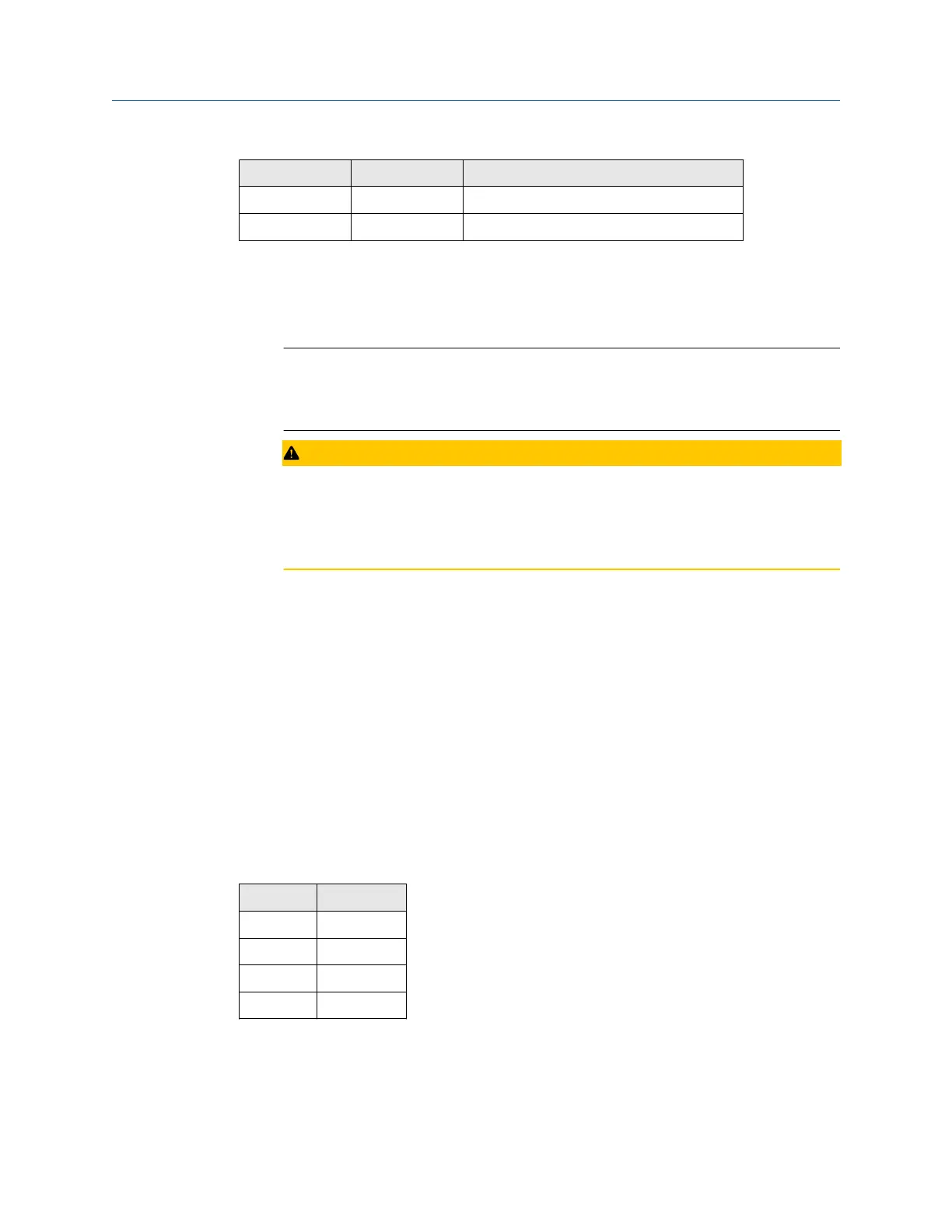
Terminal Label Definition
9 5+ Positive discrete output
10 COM Discrete output return
To connect the ROC800 DO module to a field device:
Procedure
1. Expose the end of the wire to a maximum length of ¼ in. (6.4 mm).
Note
Twisted-pair cables are recommended for I/O signal wiring. The module’s terminal
blocks accept wire sizes between 12 and 22 American wire gauge (AWG). Allow
some slack when making connections to prevent strain.
CAUTION
ELECTRICAL HAZARD
Failure to follow this precaution may cause a short circuit and damage equipment.
Allow only a minimum exposure of bare wires to prevent short circuits.
2. Insert the exposed end into the clamp beneath the termination screw.
3. Tighten the screw.
2.4.13
Wiring the analog inputs
All Rosemount 700XA gas chromatographs (GCs) have at least two analog inputs. An
additional four analog inputs are available with a ROC800 AI-16 card (see Wire a ROC800
digital output (DO) module) that can be installed into one of the optional slots in the card
cage.
Analog inputs on the backplane
There are two analog input connections on the backplane at terminal block 10 (TB10).
Table 2-4: Analog Inputs TB10
TB10 Function
Pin 1 +AI_1
Pin 2 -AI_1
Pin 3 +AI_2
Pin 4 -AI_2
Installation and start-up Quick Start Guide
July 2020 00825-0100-3770
40 Emerson.com/Rosemount


 To Next Page