CAUTION
ELECTRICAL HAZARD
Exposing bare wires may cause a short circuit and damage equipment.
Only allow a minimum exposure of bare wires.
2. Insert the exposed end into the clamp beneath the termination screw.
3. Tighten the screw.
There are two dip switches on the terminal block side of the module that can be
used to set a 250 Ω resistor in or out of circuit for each analog input.
To put an analog input’s resistor in circuit, flip the appropriate dip switch to I; to put
an analog input’s resistor out of circuit, flip the appropriate dip switch to V.
Calibrate a ROC800 AI-16 module
Prerequisites
To calibrate the ROC800 AI-16 module you must have a personal computer (PC) with the
ROCLINK
™
800 Configuration software installed and open.
See Emerson’s ROC 800-Series for details, downloads and manuals.
Procedure
1. Go to Configure → I/O → RTD Points → Calibration.
2. Select an analog input.
3. Click Update to request one value update from the input.
4. Click Freeze to stop the values of the input from being updated during calibration.
Note
If you are calibrating a temperature input, disconnect the resistance temperature
device (RTD) sensor and connect a decade box or comparable equipment to the
RTD terminals of the ROC card.
5. Click Calibrate.
6. Enter a value for Set Zero after stabilization.
7. Enter a value for Set Span after stabilization.
8. Enter values for up to three Midpoints one at a time or click Done if you are not
configuring midpoints.
9. Click OK to close the main calibration window and unfreeze the associated inputs.
To calibrate the inputs for another analog input, return to Step 1.
2.4.14
Analog output wiring
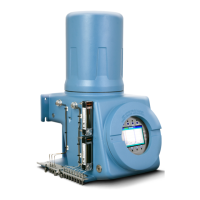
The Rosemount 700XA has at least six analog outputs. An additional four analog inputs are
available with an ROC800 AO card that can be installed into one of the optional slots in the
card cage.
Quick Start Guide Installation and start-up
00825-0100-3770 July 2020
Rosemount 700XA 43


 To Next Page