17
Rosen Entertainment Systems
USING GAMES AND CAMCORDERS
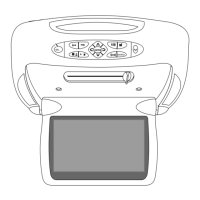
You may use video games, camcorders, and other portable video
units by connecting the unit to the auxiliary RCA input cables of the
A7. Check with your Rosen authorized dealer for the location of
these RCA jacks.
Red—Right channel audio input
White—Left channel audio input
Yellow—Video input
Press SOURCE to select the “Auxiliary Input”.
To use a game system, a 12VDC to 110VAC power inverter, available
at most electronic retail stores, is often required.
Note:
If you want to watch non-widescreen, 4:3 images, press
the DISPLAY MODE button on the remote control until
“Standard” is displayed on the screen. This will properly size
the image, instead of stretching the image across the A7 wide
screen. In “Standard” mode, you will see black bars on the
sides of the image, like this:
OPTIONAL ROSEN ACCESSORIES FOR YOUR A7
The following Rosen acessories are available for your A7. Most of
these require some installation parts and labor - check with your
authorized Rosen dealer for details.
AC3105 TV Tuner
The AC3105 TV Tuner receives VHF and UHF television broadcasts.
It requires a TV antenna (not included).
R5000-series Videocassette Player
The R5000 series of videocassette players play VHS videotapes.
AC3003 Infrared Wireless Headphones
AC3205 Remote Control
Additional headphones and remotes are available from your autho-
rized Rosen dealer.



 To Next Page