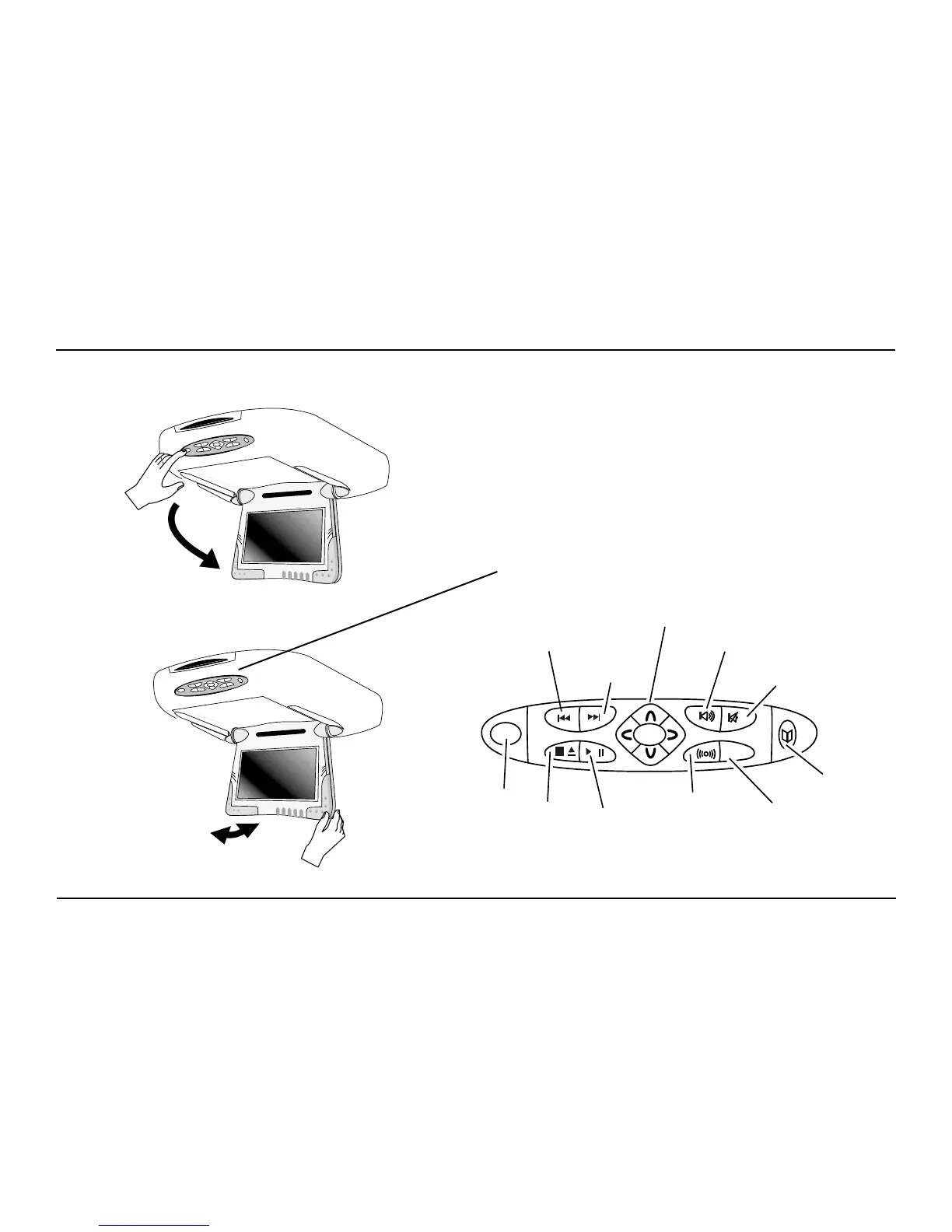
Switching On, Lowering and Adjusting the Screen
Use the system when your vehicle is running, or with the
ignition key switch in the “accessory” position.
Press the OPEN button, as shown. The screen lowers and
powers on automatically.
The Front Panel Controls of the A7
Previous
Next
Navigation
Keys
Speaker
On/Off
Mute
Rosen
Entertainment
Sound
Source
Select
Play/
Pause
Stop/
Eject
Open
ENTER
OPEN
SOURCE
Video Menu
GETTING STARTED USING YOUR A7



 To Next Page