
 Need help?
Do you have a question about the Rosewill SCM-01B and is the answer not in the manual?
Visual guide showing case components and their disassembly.
Lists included screws, standoffs, and other hardware for installation.
Instructions for removing the side panels of the computer case.
Steps to mount the PSU securely at the top-rear of the case.
Guide to mounting the motherboard using standoffs and screws.
Procedure for installing expansion cards into the case slots.
Process for installing a 5.25-inch drive into the front bay.
Instructions for mounting 3.5-inch and 2.5-inch storage drives.
Recommendations for maintaining the case and securing panels.
Details pin configurations for front panel connectors.
Schematic showing the layout of front panel ports.
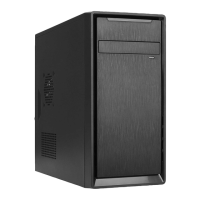
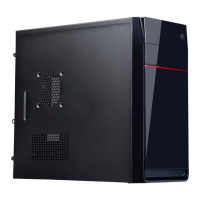
Details on model name, type, color, material, and compatibility.
Information on drive bays, expansion slots, and fan support.
Provides dimensions and weight of the computer case.
 General
| Model | SCM-01B |
|---|---|
| Type | MicroATX Mini Tower |
| Material | Steel |
| Color | Black |
| Expansion Slots | 4 |
| With Power Supply | No |
| Side Panel Window | No |
| Motherboard Compatibility | Micro ATX |
| Front Ports | 2 x USB 2.0 |


 To Next Page