EasyManua.ls Logo

Rossmax RA600 - User Manual

Rossmax RA600
2 pages
Print Icon
To Next Page IconTo Next Page
Loading...
For after sales service, please contact Cypress Medic Sdn Bhd (www.cypressmedic.com.my)
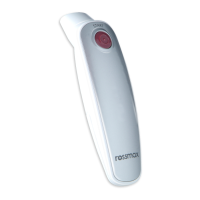
Rossmax Thermometer RA600
Quick Guide
How to use the RA600 Infrared Ear Thermometer
1. To achieve accurate readings, make sure a new, clean probe cover is in place before each measurement
and the ear canal is clean.
a. Install the probe cover by clockwise rotating then fix it.
b. Remove the probe cover by anti-clockwise rotating then releasing it.
2. Press the “On/Off/Memory” button. The thermometer is ready for use after the ear icon is flashing and two beeps
are sounded.
3. Gently pull the ear back to straighten the ear canal and snugly position the probe into the ear canal, aiming towards
the membrane of the eardrum to obtain an accurate reading.
a. Before measurement, correct installation of the probe cover ensures accurate measurement.
b. Replace the probe cover after each use to ensure an accurate reading and avoid cross contamination.
c. This thermometer must only be used with Rossmax probe covers, other covers can lead to inaccuracy.
If running out of probe covers, please contact with the original seller or distributor for buying new
probe covers.
4. Measuring the ear temperature: Use the index finger to trigger. Press “Start” button, a long beep will be sounded
when measurement is done.
5. Power Off: Device will automatically shut off if left idle for more than 1 minute to extend buttery life. Or press
“On/Off/Memory” button for at least 3 seconds to turn the device off.
6. Fever alarm: the measuring temperature is higher than 37.5°C (99.5°F), the display will flashing and 4 short beeps
will be sounded. The measuring temperature is higher than 42.2°C (108.0°F), the display will show “Hi“and 4 short
beep will be sounded.
a. It is recommended that you measure 3 times with the same ear. If the 3 measurements are different, select
the highest temperature.
b. To avoid the risk of cross contamination, please clean the probe according to “Clean and Storage“section after
each use.

Other manuals for Rossmax RA600

Question and Answer IconNeed help?

Do you have a question about the Rossmax RA600 and is the answer not in the manual?

Summary

How to Use the RA600 Infrared Ear Thermometer

Probe Cover Installation and Ear Preparation

Ensure clean probe cover and ear canal for accurate readings. Install and remove probe covers correctly.

Thermometer Readiness

Press "On/Off/Memory" button. Wait for ear icon flashing and two beeps.

Measurement Process

Straighten ear canal, position probe, press "Start" button. A long beep signals completion.

Power Off and Fever Alarm

Device auto-shuts off. Press button for 3s to turn off. Fever alarm for high temperatures.

Measurement Recommendations and Hygiene

Measure three times, select highest. Clean probe after each use to prevent contamination.

Scanning Mode Operation

Taking a Measurement in Scanning Mode

Press and hold "Start" for 3s. Pivot probe to view ear canal for highest temp. Release "Start" when done.

Important Cautions and Precautions

Temperature Measurement Comparisons

Ear temps differ from oral/rectal. Establish baseline normal ear temp for fever comparison.

Environmental and Handling Precautions

Keep dry, avoid moisture, dust, drops. Handle carefully. Acclimatize if stored in extreme temperatures.

Consulting a Doctor

Consult a doctor if health condition is poor.

Cleaning and Storage Guidelines

Probe Cleaning Procedure

Use cotton swab with alcohol to clean the probe lens. Allow to dry for at least 5 minutes.

Device Handling and Storage

Check for damage if dropped. Keep unit dry, away from liquids and direct sunlight. Do not submerge probe.

Rossmax RA600 Specifications

General IconGeneral
TypeDigital Thermometer
DisplayLCD
Fever AlarmYes
WaterproofNo
Auto Power OffYes
Measurement Range32.0°C to 42.9°C
Accuracy±0.2°C (±0.4°F)
Measurement SiteOral, Rectal, Axillary
BatteryLR41 or SR41
MemoryLast reading recall

Related product manuals