EasyManua.ls Logo

Rotel RC-1570 - User Manual

Rotel RC-1570
78 pages
Print Icon
To Next Page IconTo Next Page
Loading...
Owner’s Manual
Manuel de l’utilisateur
Bedienungsanleitung
Manual de Instrucciones
Gebruikershandleiding
Manuale di istruzioni
Instruktionsbok
Инструкция пользователя
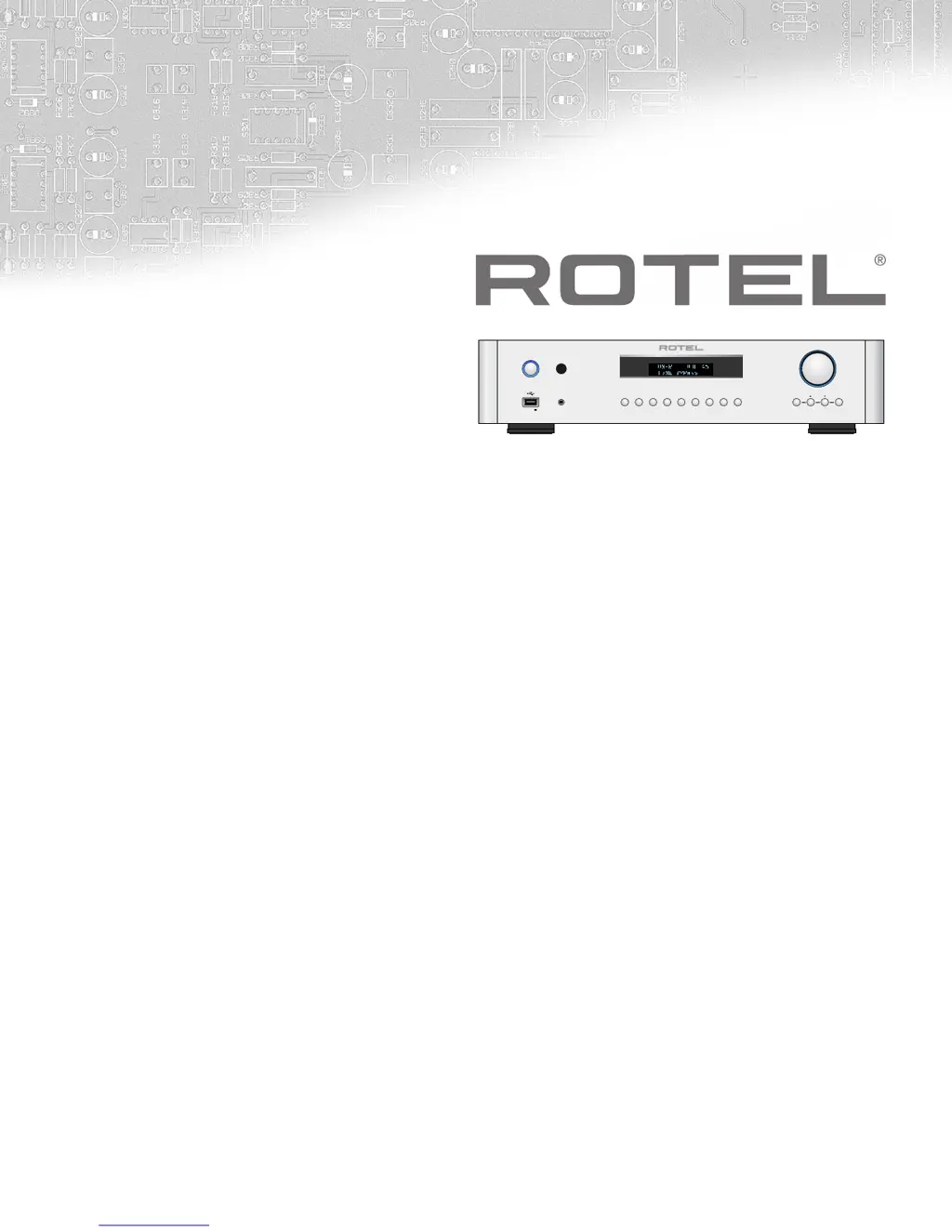
RC‑1570
Stereo Control Amplifier
Amplificateur de Contrôle Stéréo
Stereo-Vorverstärker
Preamplificador Estereofónico
Stereo-regelversterker
Preamplificatore Stereo
Stereokontrollförstärkare
Предварительный стерео усилитель
5V 1A
PHONO CD XLR TUNER AUX OPT COAX USB PC-USB MENU ENTER
PHONES
POWER
RC-1570

Table of Contents

Other manuals for Rotel RC-1570

Questions and Answers

  • A
    andrewsdominiqueJul 26, 2025
    What to do if there is no sound from my Rotel Amplifier?
    • T
      Tyrone RamirezJul 26, 2025
      If you're experiencing a lack of sound with your Rotel Amplifier, there are a few things you can check. First, ensure that the signal source is functioning correctly. Next, verify that the cables connecting the signal source to the inputs are properly connected. Finally, inspect all wiring between the amplifier and the speakers to confirm everything is secure.
  • J
    Johnny ClarkJul 31, 2025
    Why is the power indicator not illuminated on my Rotel RC-1570?
    • K
      kellyballJul 31, 2025
      If the power indicator on your Rotel Amplifier isn't lighting up, try these steps: First, test the power outlet using another electrical device, such as a lamp, to ensure the outlet is working. Also, verify that the power outlet isn't controlled by a switch that might be turned off.
  • R
    Richard RuizAug 5, 2025
    How to fix Bluetooth connection issues on Rotel RC-1570?
    • S
      Stephanie BryanAug 5, 2025
      If you're having trouble connecting to your Rotel Amplifier via Bluetooth, try the following steps: First, delete the memory of any previous connections on both the RC-1570 and your device. Then, on the RC-1570 IR remote, press and hold the STOP M button for 5 seconds until the front display shows “Reset BT DB List?“, then release the button. Select and press “ENT“. Finally, try to make the connection again.
  • J
    John BarnesAug 10, 2025
    What to do if my Rotel Amplifier has no sound?
    • L
      Laura GrayAug 10, 2025
      If your Rotel Amplifier isn't producing sound, first verify that the signal source is working correctly. Ensure that the cables connecting the signal source to the amplifier inputs are properly connected. Also, check all wiring between the amplifier, any connected power amplifier, and the speakers.
  • J
    jillianriggsAug 15, 2025
    How to fix Bluetooth connection issues with Rotel Amplifier?
    • R
      ramospamelaAug 15, 2025
      To resolve Bluetooth connection problems with your Rotel Amplifier, clear the memory of previous connections on both the amplifier and your device. On the amplifier's remote, press and hold the STOP M button for 5 seconds until the front display shows 'Reset BT DB List?'. Release the button, select , and press 'ENT'. Then, attempt the connection again.
  • W
    Walter McdonaldAug 20, 2025
    What to do if Rotel Amplifier fuse needs replacement?
    • K
      Karen GrayAug 20, 2025
      If the internal power fuse in your Rotel Amplifier has blown, contact your authorized Rotel dealer to get the fuse replaced.

Summary

Important Safety Instructions

General Operational Warnings

Covers computer I/O, user-serviceable parts, moisture, foreign objects, and improper operation.

Electrical and Power Safety

Details risks of electric shock, water, power cord usage, and grounding.

Installation and Environment

Specifies clearance, ventilation, and avoiding heat sources.

Compliance and Symbols

Explains product compliance, safety symbols, and pin assignments.

Important Notes

Connection Precautions

Advises turning off components before connecting or changing connections.

Volume Control Reminder

Recommends lowering volume before powering on/off.

About Rotel

Company History and Philosophy

Details Rotel's founding, commitment to quality, and family values.

Getting Started

Initial Setup Precautions

Covers turning off components, saving packaging, and registration.

Placement and Cables

Guides on positioning the unit and managing cables to avoid interference.

Remote Control Operation

Explains changing remote codes, battery installation, and basic remote functions.

Power and Connections Overview

Details AC power input, power switch, and 12V trigger connections.

Input Signal Connections

Covers phono, line level, balanced, and digital input connections.

Output and Other Connections

Details preamp, headphone, remote sensor, and display connections.

Front Panel USB and Bluetooth

Explains connecting USB devices and Bluetooth for streaming.

Audio Controls and Settings

Covers volume, balance, tone controls, and display/dimmer settings.

Advanced Connections

Details EXT REM IN, Computer I/O, and PC-USB input.

Troubleshooting

General Troubleshooting Advice

Provides guidance on isolating and solving common audio system issues.

Power Indicator Issues

Addresses scenarios where the power indicator light is not illuminated.

Fuse Replacement Guidance

Explains when and how to consider fuse replacement.

No Sound Issues

Offers steps to diagnose and resolve the absence of audio output.

Bluetooth Connectivity Problems

Guides on troubleshooting pairing and connection issues with Bluetooth.

Playable Audio Formats

Lists supported audio formats for USB and PC-USB inputs.

Specifications

Audio Performance Specifications

Details harmonic distortion, sensitivity, overload, output, and frequency response.

Digital Section and PC-USB

Covers digital frequency response, S/N ratio, and USB/PC-USB capabilities.

General Power and Dimensions

Provides power requirements, consumption, dimensions, and weight.

Rotel RC-1570 Specifications

General IconGeneral
BrandRotel
ModelRC-1570
CategoryAmplifier
LanguageEnglish

Related product manuals