SMART WiFi modem for LCAC units
8 User manual
PART 3. INSTALLATION AND CONFIGURATION
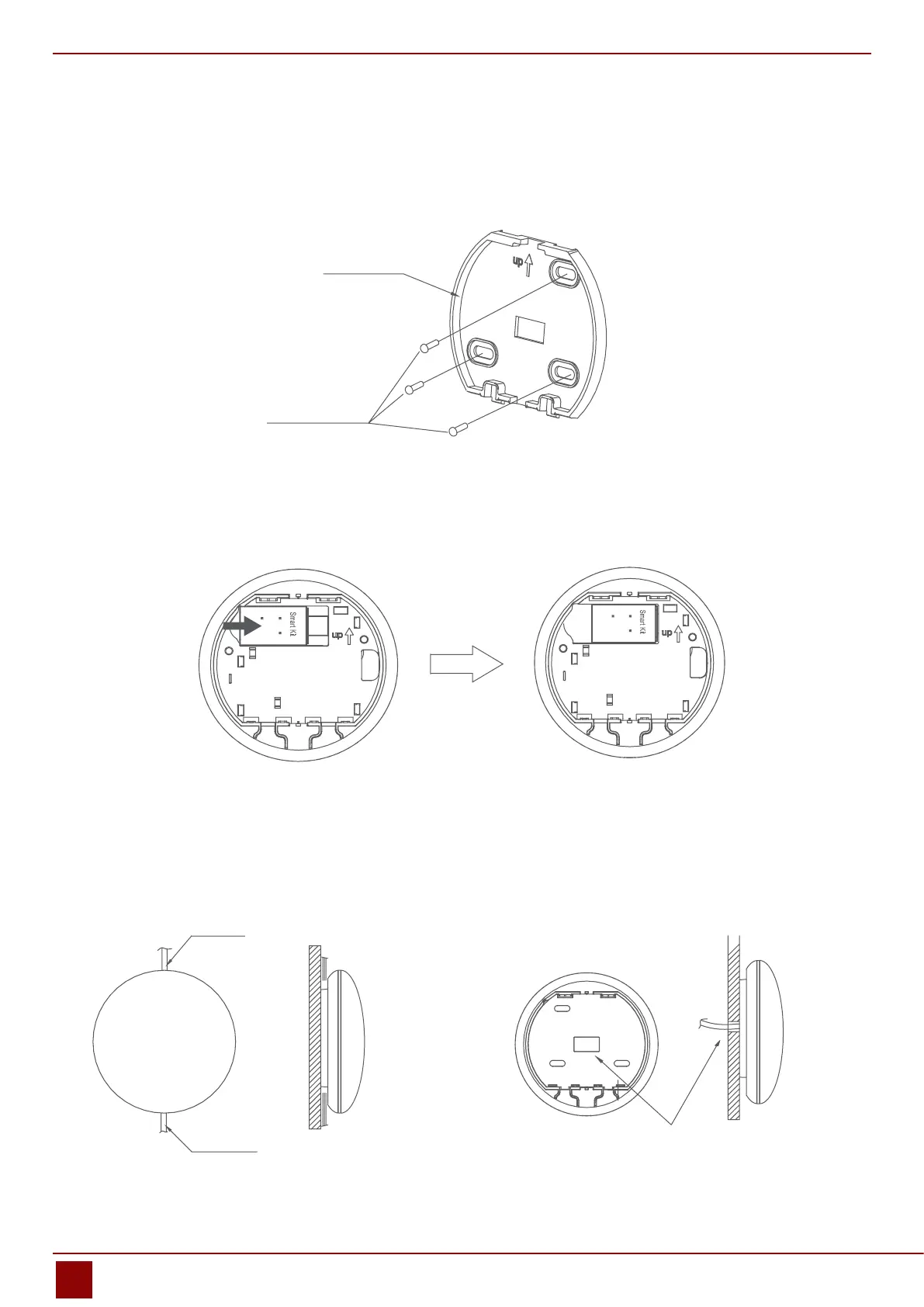
2.5. Fasten the back plate of the smart port
• For exposed mounting, fasten the back plate on the wall with the 3 screws (M4×20) and plugs. (Fig.2.5)
2.6. Insert the smart kit with slightly strength into the main PCB of the smart port. (Fig.2.6)
Back plate
Fig. 2.5
Screws (M4×20)
Fig. 2.6
2.7. Wiring
a) For exposed mounting, two outletting positions. b) Shielded wiring
Fig. 2.7 Fig. 2.8
Top side wire outlet
Bottom side wire outlet
Wiring hole and wall hole
Diameter of wall hole: Φ20mm
Wiring through the wall


 To Next Page