12
ENGLISH
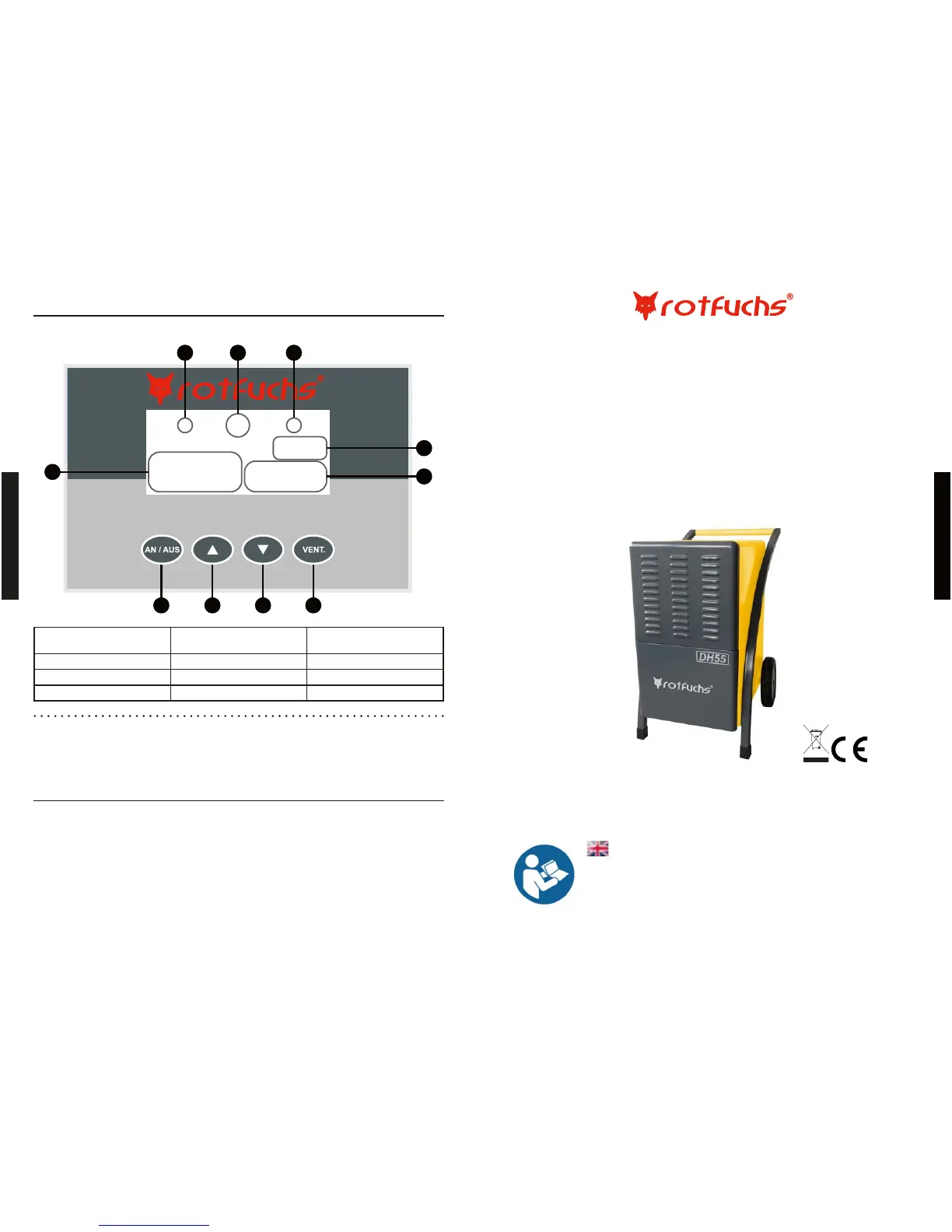
3. KEYS AND DISPLAY SYMBOLS
A
D
E
J
FGH I
B
C
A: Dehumidifi cation Mode B: Filling Level Indicator (Water
tank)
Automatic Defrosting
D: Moisture Indicator E: Operating Hours Counter F: On-/ Off-Key
G: “Rise Target Moisture”-Key H: “Lower Target Moisture”-Key I: Set Speed
J: Speed Display
3.1 Functions of Keys;:
1. On-/Off-Key: Turn the advice on and off.
2. Plus/Minus-Keys: Set the desired Moisture-Level. Keep pressing the plus- or minus-key (the value
will run fl uently towards the chosen direction) and let go when the desired value is reached.
3. “Vent.”-Key: Set the speed for the dryer.
4. OPERATING INSTRUCTIONS
1. Plug in the device. The device confi rms this by a signal tone. Now the display shows the environ-
mental moisture level.
2. The level of humidifi cation can be set Irom 10% (min.) up to 90% (max.). During this process dehu-
midifi cation mode-key fl ashes.
3. When you have reached the desired level wait for 5 seconds for the dryer to save the value. The
dehumidifi cation mode-key stops 5 fl ashing and the dryer starts working. The display lor environ-
mental moisture level shows the difference.
4. Before operating, place machine on a horizontal, stable surface.
ENGLISH
NOTE!
Read all warnings and instructions to reduce the
risk of injury. Keep for later use.
Dehumidifi er
DH55
Original instructions
Pictures may differ from the purchased product


 To Next Page