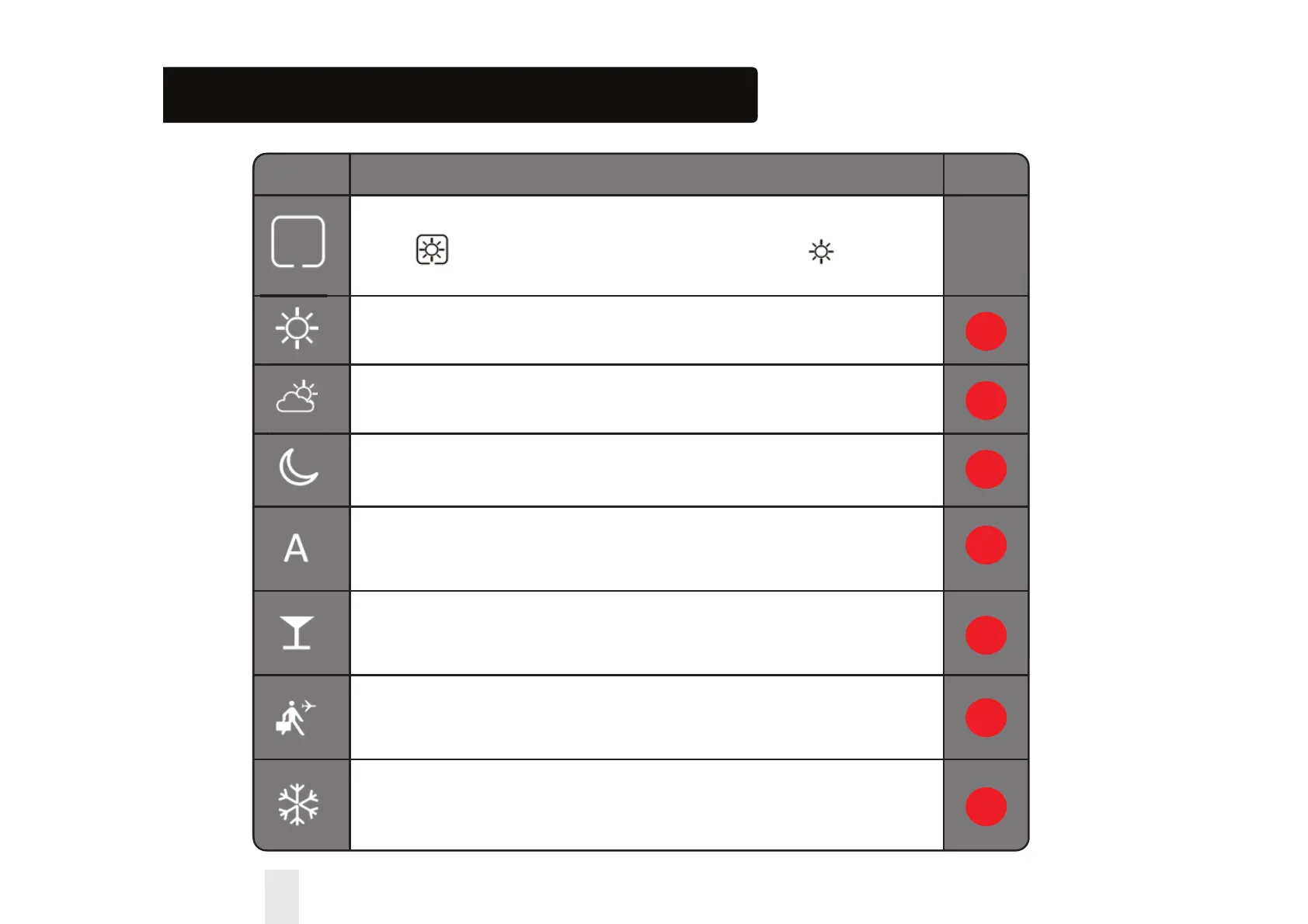
SYMBOL FUNKTION
BOX means to select the mode
e.g. means the current setpoint is Hi temp, means
the Hi temp is not selected.
Sunny:
Hi comfortable temperature.
Cloudy:
Middle comfortable temperature.
Moon:
Low comfortable temperature.
Programmable thermostat Program mode indicator:
Indicates program is running, Auto On or Auto O.
Party indicator:
When Party mode is active.
Vacation indicator:
When Vacation mode is active.
Frost protection indicator:
Frost protection is active, not available in cooling mode (if applicable).
Installation – LCD Graphics
1
2
3
4
5
6
7
60 Installer Manual


 To Next Page