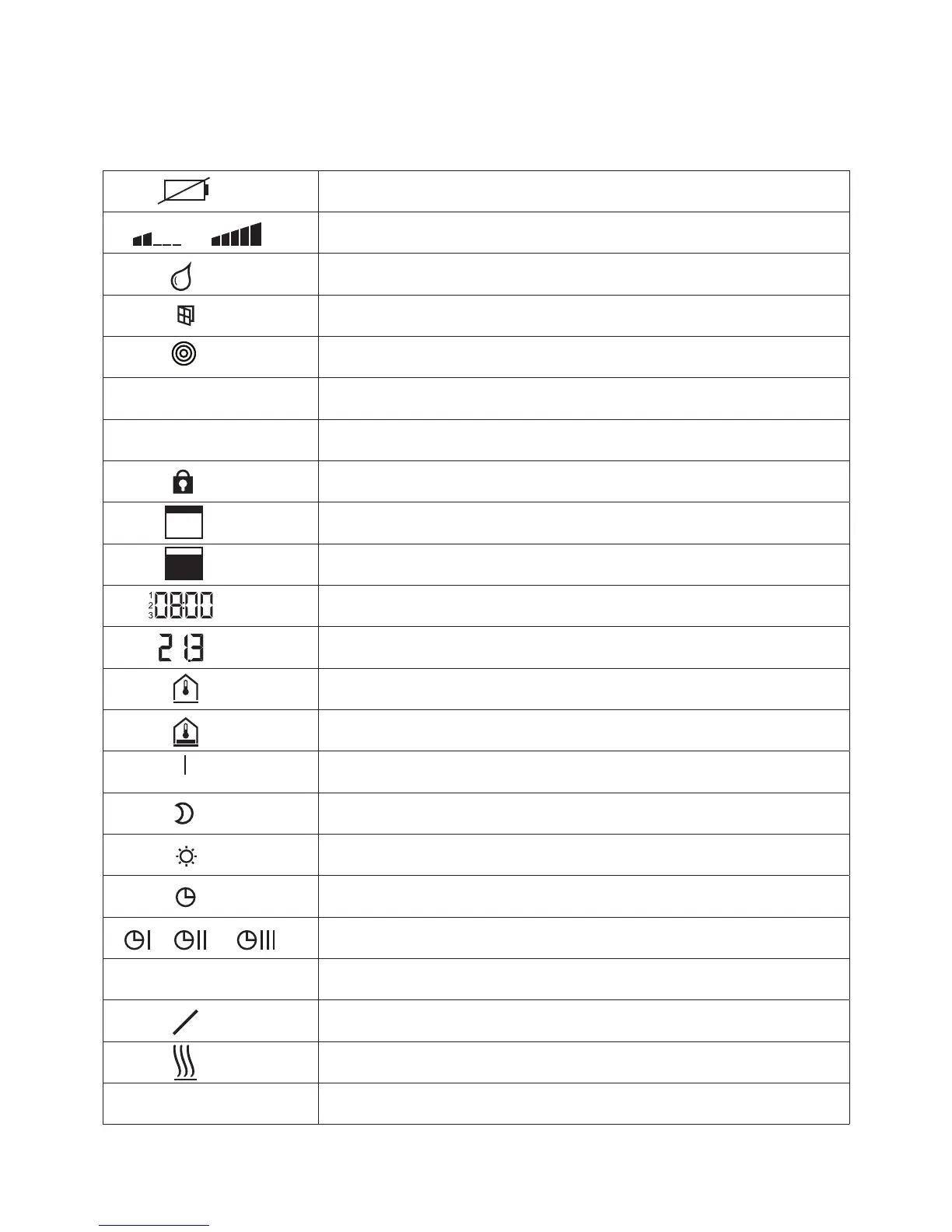
EXPLANATION TO THE SYMBOLS THAT CAN APPEAR IN
THE DISPLAY OF THE ROOM THERMOSTAT
Battery nearly empty
Relative energy consumption
Dew-point alarm (only when dew-point sensor is connected)
Window contact (only with accessory, will be available during 2013)
Wireless signal
Loss of wireless connection
General alarm
Operation disabled
Working days
Weekend
• Time and date
• Time program
Actual temperature
Room temperature
Floor temperature (only IR-version)
O (frost protection)
Reduced operation
Normal operation
Time program with external clock
Time program 1, 2 and 3
Cooling mode
Cooling lock
Heating mode
AUTO
Auto mode: heating and cooling mode controlled by wireless
!
!



 To Previous Page