12
LED Indicator Lights
The topside panel function buttons (i.e. Pumps, Light, and Blower) feature a green LED light to clearly indicate
whether the accessory is ON or OFF. The green LED will light up when the accessory is ON. In addition, the
topside panels have three red indicator LEDs to advise the user the current status of the spa:
AUTOMATIC MODE
The AUTO LED indicator turns ON when the filtration pump is in automatic mode. In automatic mode the
filtration pump will turn on / off as required to satisfy heating and filtration requirements. If the filtration
pump is manually turned on or off the AUTO LED indicator turns OFF. The control will automatically return to
AUTO mode after a 45 minute idle timeout period if not returned to AUTO mode by the spa user.
HEATER ON
The Heater LED indicator turns ON when the heater element is active. The heater is automatically controlled,
it will turn ON and OFF as required (in conjunction with the filtration pump) to maintain the set water
temperature. If the filtration pump is manually turned OFF the heater will NOT operate.
NOTE: In some configurations, engaging high speed on a 2 speed pump or operating multiple pumps will
cause the heater to load shed and turn OFF (even if heating is required) to keep the system within its rated
power supply.
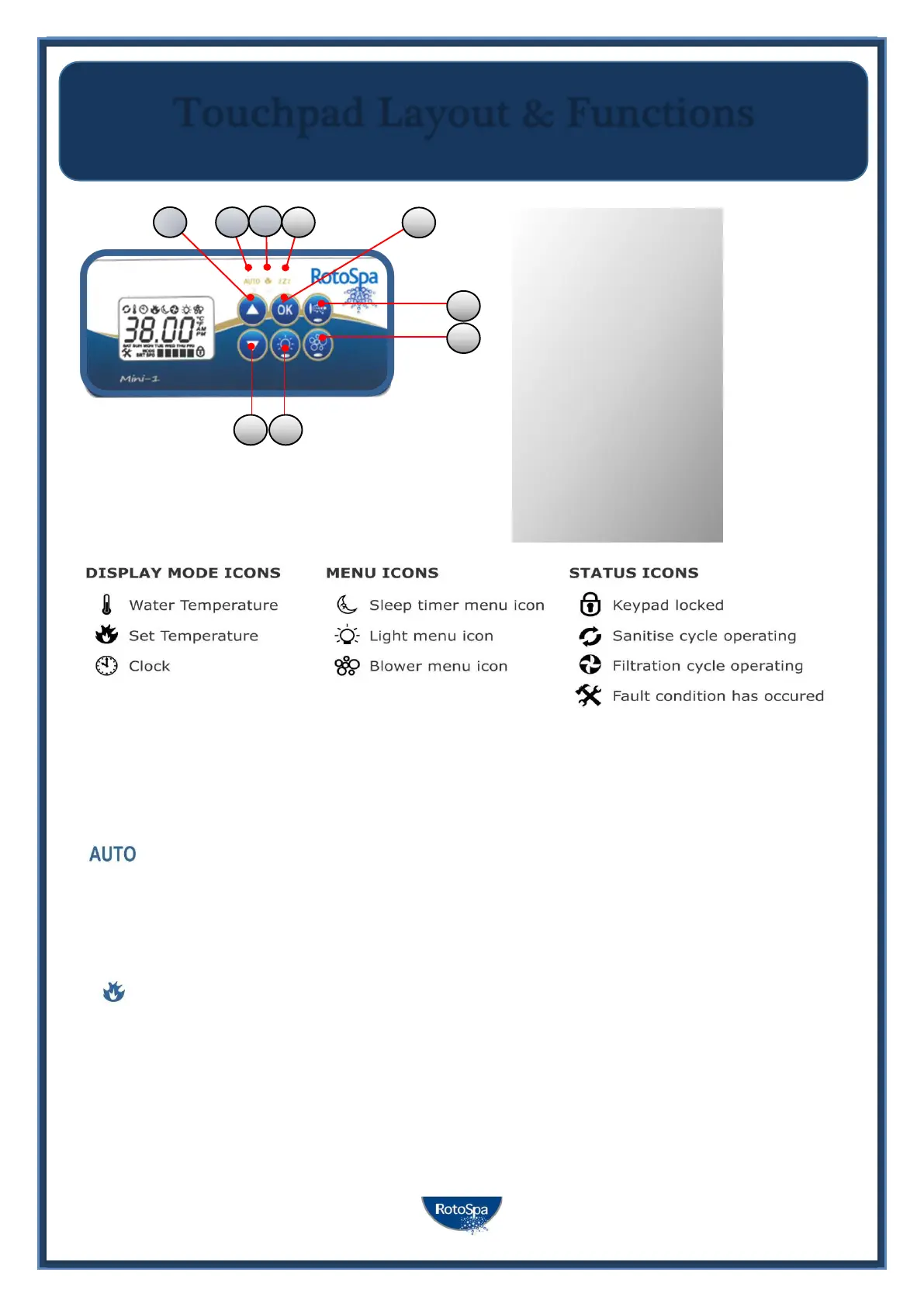
Touchpad Layout & Functions
2. DOWN button
3. OK button
4. Light On/Off
5. Pump A
6. Auxiliary
7. Auto mode LED
8. Heater on LED
9. Sleep Cycle LED



 To Next Page