17
Multi-colour LED lighting effects
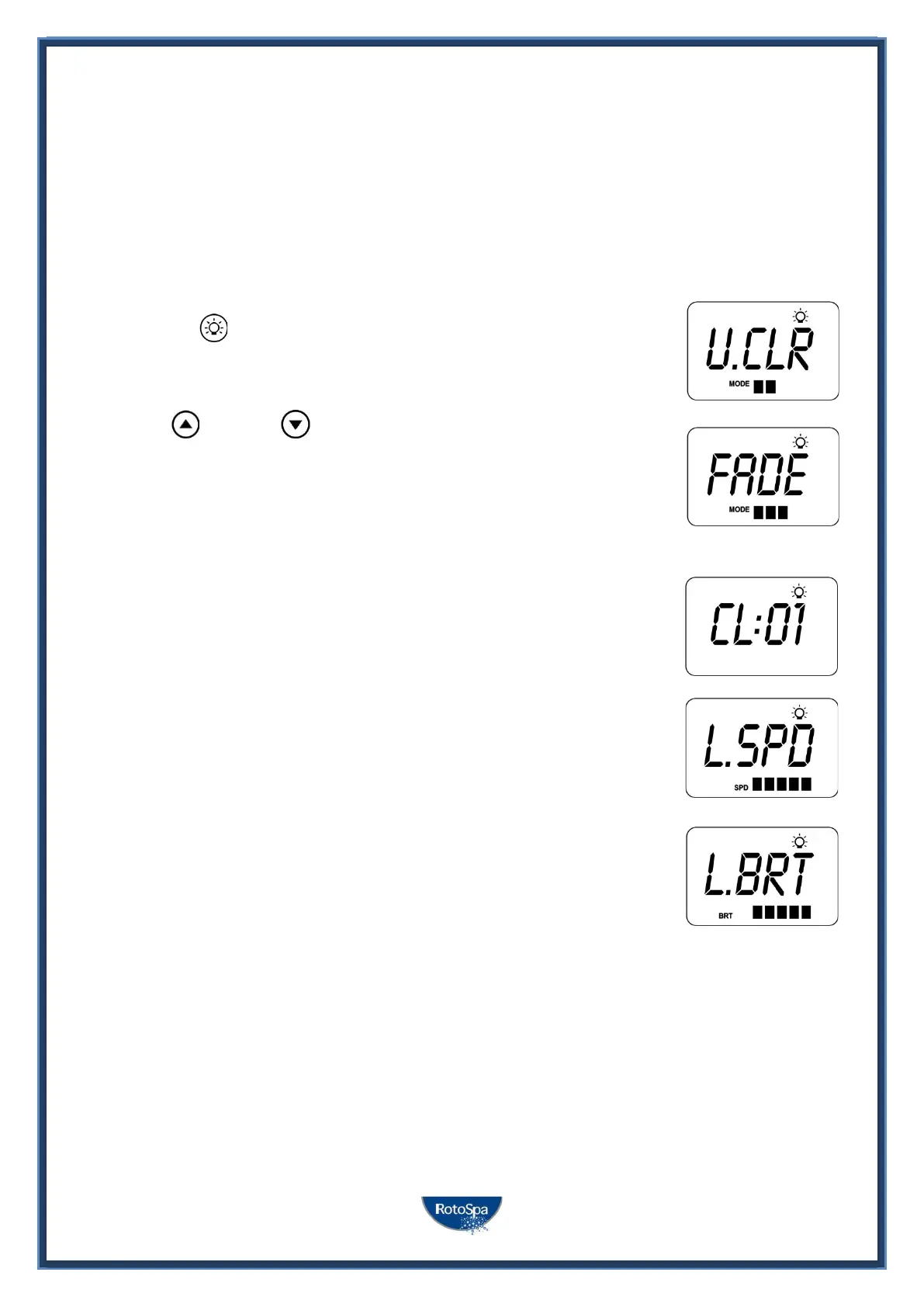
The light button is used to toggle the spa light(s) ON / OFF and to access the light mode menus. The features
that can be adjusted are the light colour, light effect mode, light effect transition speed, and light brightness.
All light settings are saved and will be restored the next time the light is turned ON, for future ON / OFF use.
Selecting Light Colour or Effect Mode
Press the LIGHT button to turn light(s) on/off => light will display last used light
mode. If no changes are required there is no need to do anything further. If
however you wish to adjust the light settings refer below:
Use the UP or DOWN buttons to toggle between the two light modes:
TITLE MODE DESCRIPTION
U.CLR User Colour Select from 7 possible colours
FADE Fade Effect Fade transition through all colours
User Colour Mode
If user colour mode is selected press OK or wait 10 seconds for the display to show the current
selected colour number. There are 7 colours to choose from (CL:00 – CL:07). Use the UP or
DOWN buttons to adjust the colour. Press OK to confirm and skip to the light brightness
adjustment or wait for the 10 second inactivity time out.
Fade Effect Mode
If fade effect mode is selected press OK or wait 10 seconds for the display to show the light
speed (L.SPD) adjustment screen where the speed of the fade transition between colours can
be adjusted. Use the UP or DOWN buttons to increase or decrease the transition speed to your
desired level. Press OK to confirm and skip to the light brightness adjustment or wait for the
10 second inactivity time out.
Light Brightness
Once light mode and colour or light speed has been selected the controller offers a light
brightness adjustment. Use the UP or DOWN buttons to increase/decrease the light
brightness to your desired level. Press OK to confirm or wait for the 10 second inactivity
timeout.
NOTES:
1. The light mode / user colour / light speed / light brightness adjustment screens are only displayed for 10 seconds each
when the light(s) are first turned ON. If no adjustment is made the light(s) will run as per the last used settings, and the
screen will time-out and revert to the default display mode. If you wish to adjust the light(s) settings once the light(s) have
been running for a period of time, the light(s) must be turned OFF and back ON again to restore the light mode adjustment
screens.
2. If left ON, the light(s) will automatically turn OFF after a 45 minute time out period from the last button press.



 To Next Page