EasyManua.ls Logo

Roughneck 67151 - User Manual

Roughneck 67151
16 pages
Print Icon
To Next Page IconTo Next Page
Loading...
READ & SAVE THESE INSTRUCTIONS
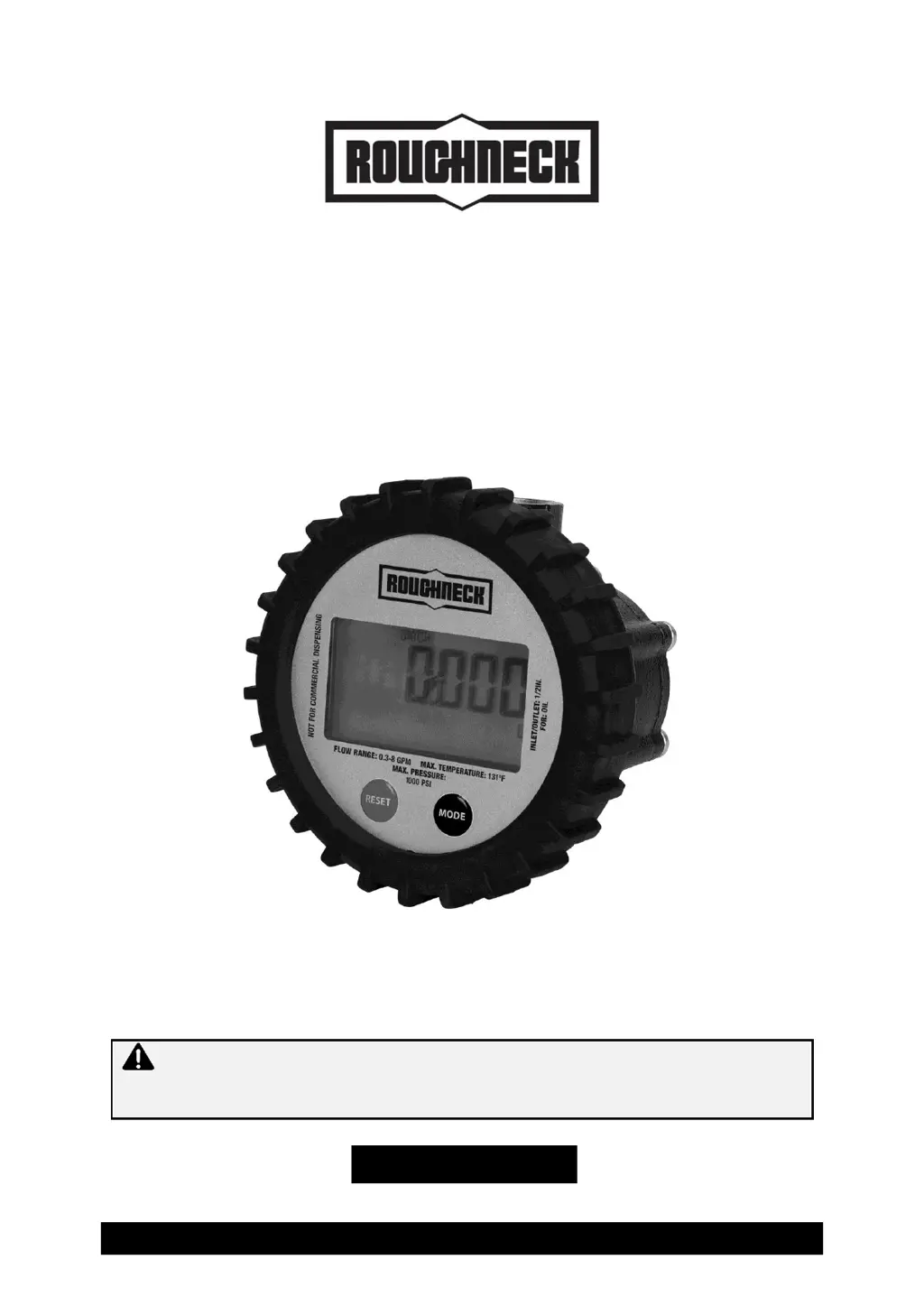
Digital Oil Meter
Owner’s Manual
WARNING: Read carefully and understand all ASSEMBLY AND OPERATION
INSTRUCTIONS before operating. Failure to follow the safety rules and other basic safety
precautions may result in serious personal injury.
Item #67151

Questions and Answers

  • S
    Samantha PottsAug 6, 2025
    What to do if there is little or no discharge through Roughneck Measuring Instruments?
    • E
      Erika BryantAug 6, 2025
      If your Roughneck Measuring Instruments meter shows little or no discharge, several factors could be at play. The oval gears might be stuck, requiring you to dismantle the meter and clean the gears. Alternatively, the meter body could be soiled or blocked, so cleaning the meter body is recommended. Also, check if the meter connections are over-tightened and re-adjust them if necessary. Finally, ensure the fluid's viscosity is within the specified range (up to SAE 140); thicker fluids may cause issues.
  • R
    rlamAug 16, 2025
    Why is my Roughneck 67151 showing insufficient accuracy?
    • A
      Aaron LloydAug 16, 2025
      If your Roughneck Measuring Instruments is showing insufficient accuracy, several factors could be the cause. First, the fluid flow rate might be too high or too low; adjust it to stay within the specified limits of 0.3 to 8 GPM. Second, a blocked or soiled inlet filter could be the culprit, so cleaning the filter is a good step. Third, air in the fluid can also cause accuracy issues. Make sure to tighten all threaded joints with thread locking fluid and purge air from the system. Finally, the meter may need calibration.
  • S
    Sandra HernandezAug 27, 2025
    How to troubleshoot a Roughneck Measuring Instruments with a display not working?
    • A
      anthonywrightAug 27, 2025
      If the display on your Roughneck Measuring Instruments isn't working, the first thing to check is the battery. If it's discharged, replace it. If a new battery doesn't solve the problem, it could be due to faulty PCB sensors, magnets, or the LCD itself, in which case, replacement of the meter is suggested.

Summary

Intended Use

Packaging Contents

Lists the items included in the product packaging, such as the digital oil meter and owner's manual.

Technical Specifications

Details key specifications of the digital oil meter, including meter type, flow rate, pressure, and viscosity limits.

Important Safety Information

Work Area Safety Guidelines

Personal Safety Precautions

Digital Oil Meter Use and Care

Specific Operation Warnings

Highlights crucial warnings such as not exceeding pressure limits and avoiding water-based media.

Main Parts of Product

Installation Instructions

Product Subassembly

Identifies the main subassemblies of the digital oil meter, including the display, shroud, and body.

Rotating the Display

Instructions on how to detach and rotate the electronic module for optimal viewing.

Before Each Use

Resetting the Batch Total

Procedure for resetting the resettable batch total on the LCD display to zero.

Accessing the Programming Menu

Configuring Units

Steps to select desired measurement units (L, GAL, Qt, Pt, Oz, dL) for the display.

Calibrating the Meter

Operating Instructions

Returning to Operation Mode

Method to exit programming or calibration modes and return to the main operating screen.

After Each Use

Recommendations for storing the meter properly after each use to ensure longevity.

Maintenance

Changing the Battery

Step-by-step guide for replacing the internal battery of the digital oil meter.

Cleaning the Meter Body

Instructions for cleaning the meter body and its internal components, including oval gears.

Troubleshooting

Little or No Discharge

Addresses issues like stuck gears, blocked bodies, or incorrect connections causing low discharge.

Insufficient Accuracy

Covers causes of inaccuracy such as fluid viscosity, flow rate, blocked filters, or air in the fluid.

Display Not Working

Troubleshoots problems related to the display, including battery discharge or faulty sensors.

Parts Diagram

Parts List

Replacement Parts Information

Details on how to order replacement parts and required information for warranty claims.

Limited Warranty

Warranty Limitations

Specifies what is not covered by the limited warranty, such as normal wear and tear or misuse.

Purchasers Obligations

Outlines the buyer's responsibilities for warranty claims, including retaining receipts and contacting support.

Remedy Limits

Defines the scope of remedies available, typically product replacement or refund, excluding consequential damages.

Assumption of Risk

States that using the product for purposes other than specified is at the user's own risk.

Governing Law

Specifies the jurisdiction and laws that govern the limited warranty agreement.

Roughneck 67151 Specifications

General IconGeneral
BrandRoughneck
Model67151
CategoryMeasuring Instruments
LanguageEnglish