Page 12 of 16
Troubleshooting
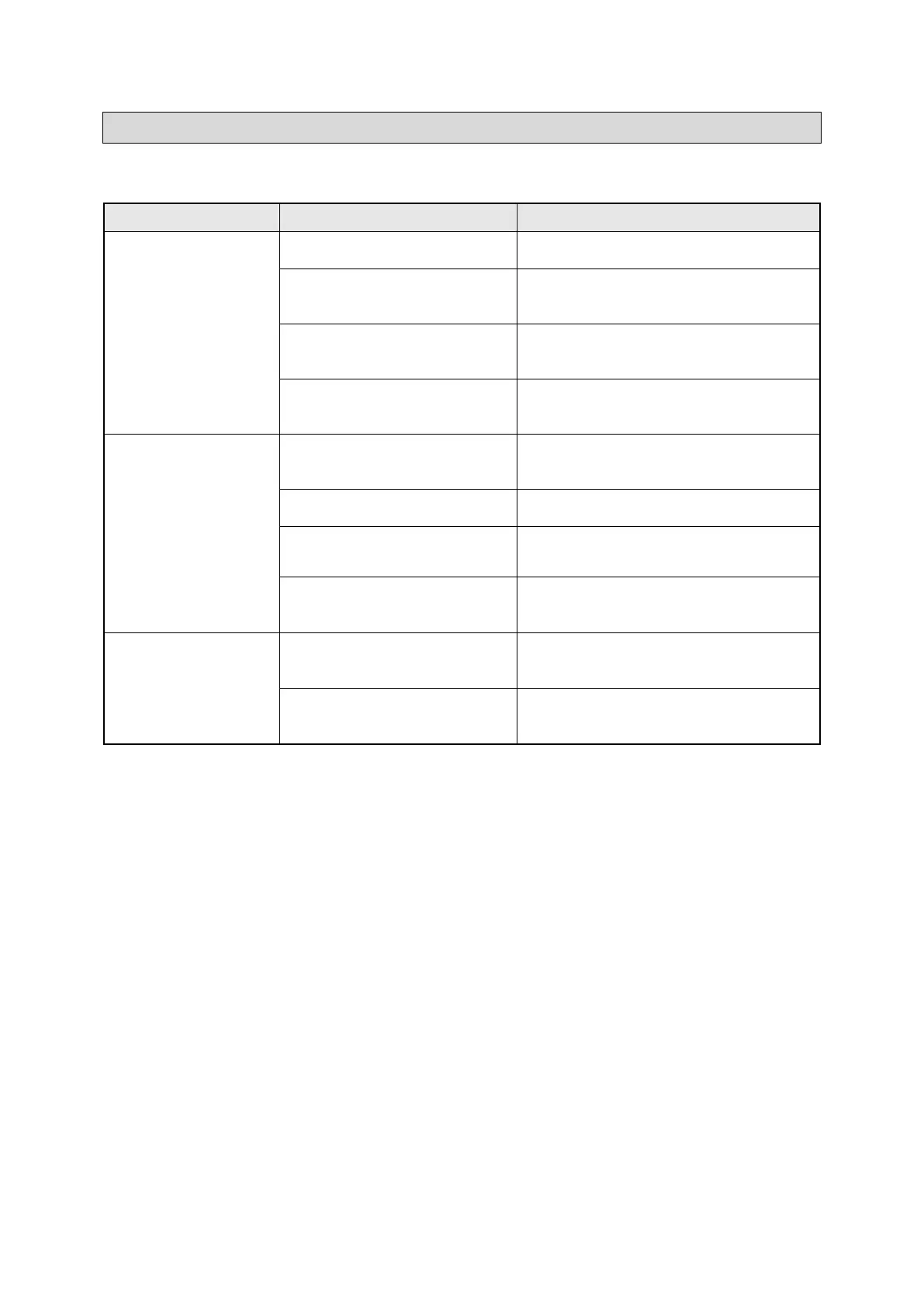
Use the table below to troubleshoot problems before contacting service personnel or your local
dealer. If the problem continues after troubleshooting, call your local dealer for assistance.
Little or no discharge
through the meter
Oval gears are stuck in place
Dismantle meter and clean gears
Soiled or blocked meter body
Clean the meter body (refer to Cleaning
the Meter Body)
Meter connections are over-
tightened
Use fluid of specified viscosity (up to SAE
140)
Fluid flow rate is too high or too
low
Adjust the flow rate within the specified
limits (0.3 to 8 GPM)
Blocked or soiled inlet filter
Tighten all threaded joints with thread
locking fluid and purge air from system
Calibrate the meter (refer to Calibration
section)
Replace battery (refer to Changing the
Battery section)
Faulty PCB sensors / magnets /
LCD


 To Next Page