2021 ROUSH Performance F-150 Service Manual
4
2021 ROUSH Performance F-150 Service Manual
Fender Flare Maintenance
Periodically the trim on the fender ares may become
dislodged and will need to be slid back into place. For
vehicles with optional fender ares, ROUSH has included
a fender are trim tool in the glove box.
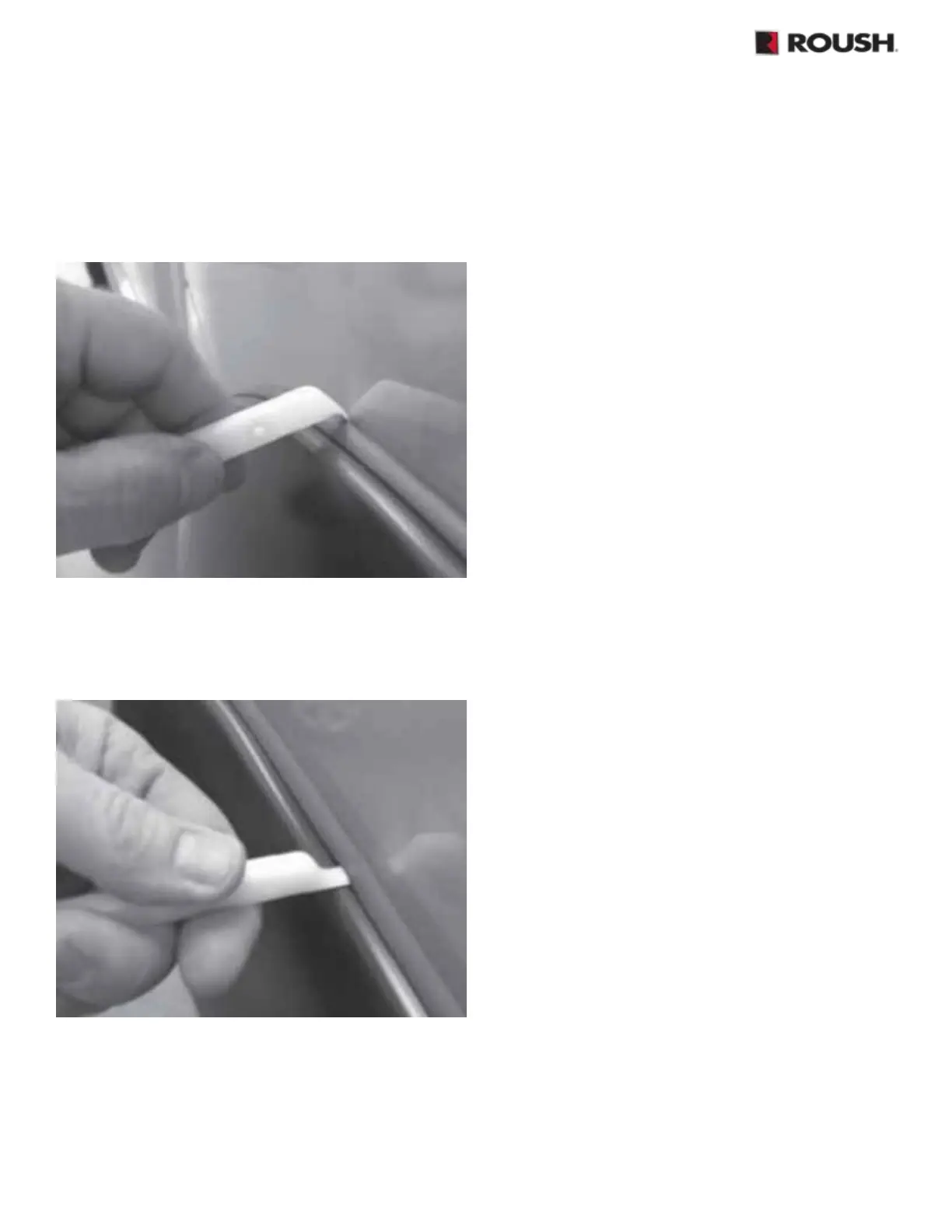
1. Use the supplied tool to seat the edge trim against
the vehicle by hooking the curved end of the tool
under one end of the are trim. Then, slide the tool
along the trim to the other side of the are.
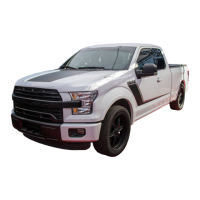
2. Next, using the at end of the tool, seat the edge
trim against the are by inserting the straight side
between the edge trim and the are at one end of the
are. Then, slide the tool around the entire length
of the edge until you reach the other end.
Installing a Front License Plate
1.
Reach through the opening of the front bumper cover
panel, align a pick tool in the center of the bottom
bosses on the front bumper cover panel. Using the
pick tool, push into the center of the boss to create
a locator hole on the outside face of the part. Repeat
this process for the other bottom boss.
2.
Gather the license plate, fasteners, screwdriver and
power drill with a 11/64” drill bit.
3.
Drill two (2) holes using a 11/64” drill bit at the locator
holes that were created in Step 1.
4.
Install the two (2) fasteners into the drilled-out holes
created in Step 3. Tighten the screw using a at-head
screwdriver until the license plate is fully secured.
Attaching the Hitch Cover
The ROUSH Trailer Hitch Cover is shipped in the glove
box of the vehicle. No hitch pin or clips are required to
install, the cover simply ts over the receiver tube for
easy installation.


 To Next Page