40
_________________________________________
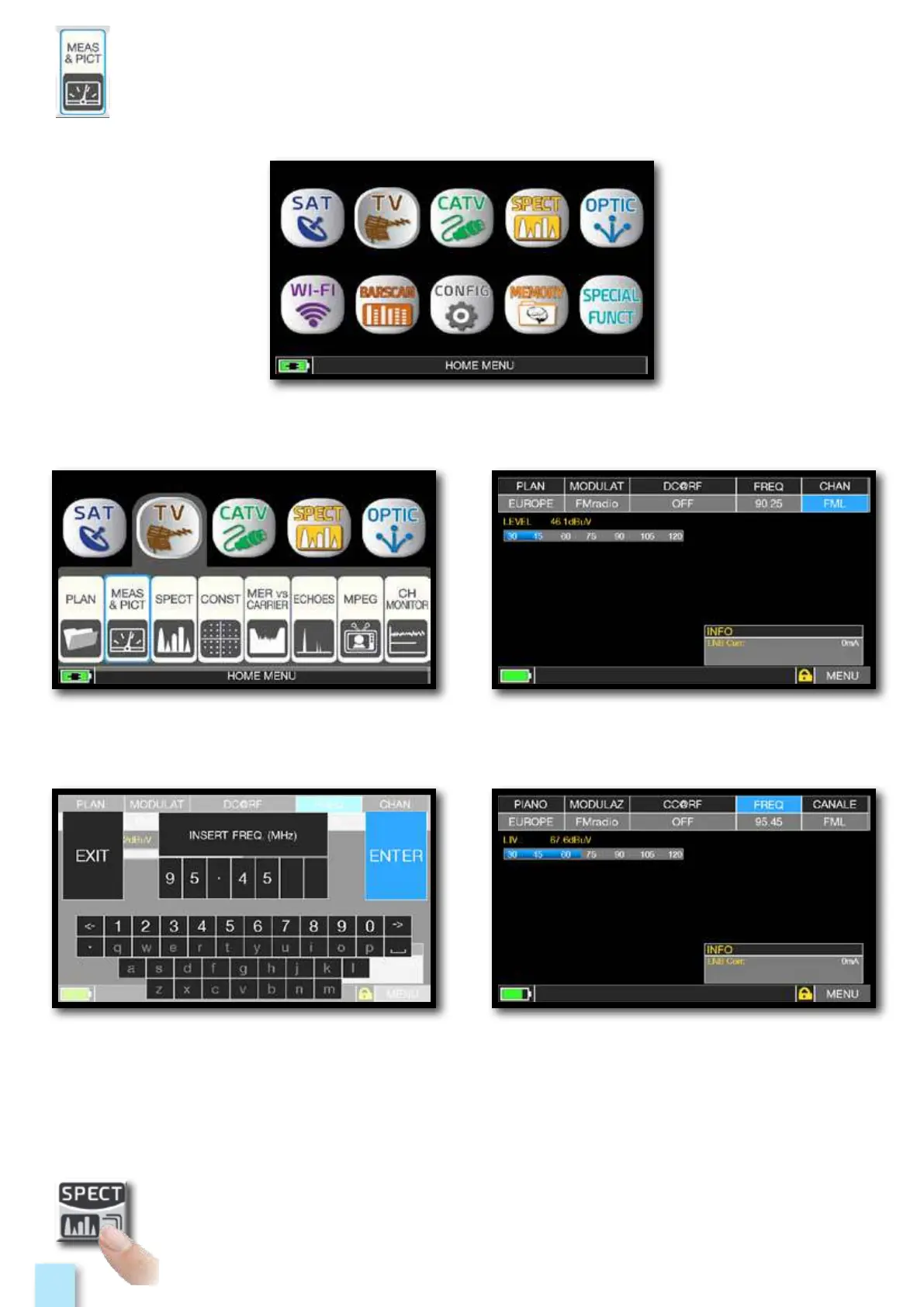
Press the “HOME” key.
Touch “TV” and then “MEAS & PICT”
or use the encoder.
Press to enter in
the spectrum.
_______________________________________
Main menu.Touch “FREQ” and type the desired
frequency value, then touch “ENTER”.
Touch “CHAN” and select the
“FML” channel or “FMH”.



 To Next Page