59
__________________________________________
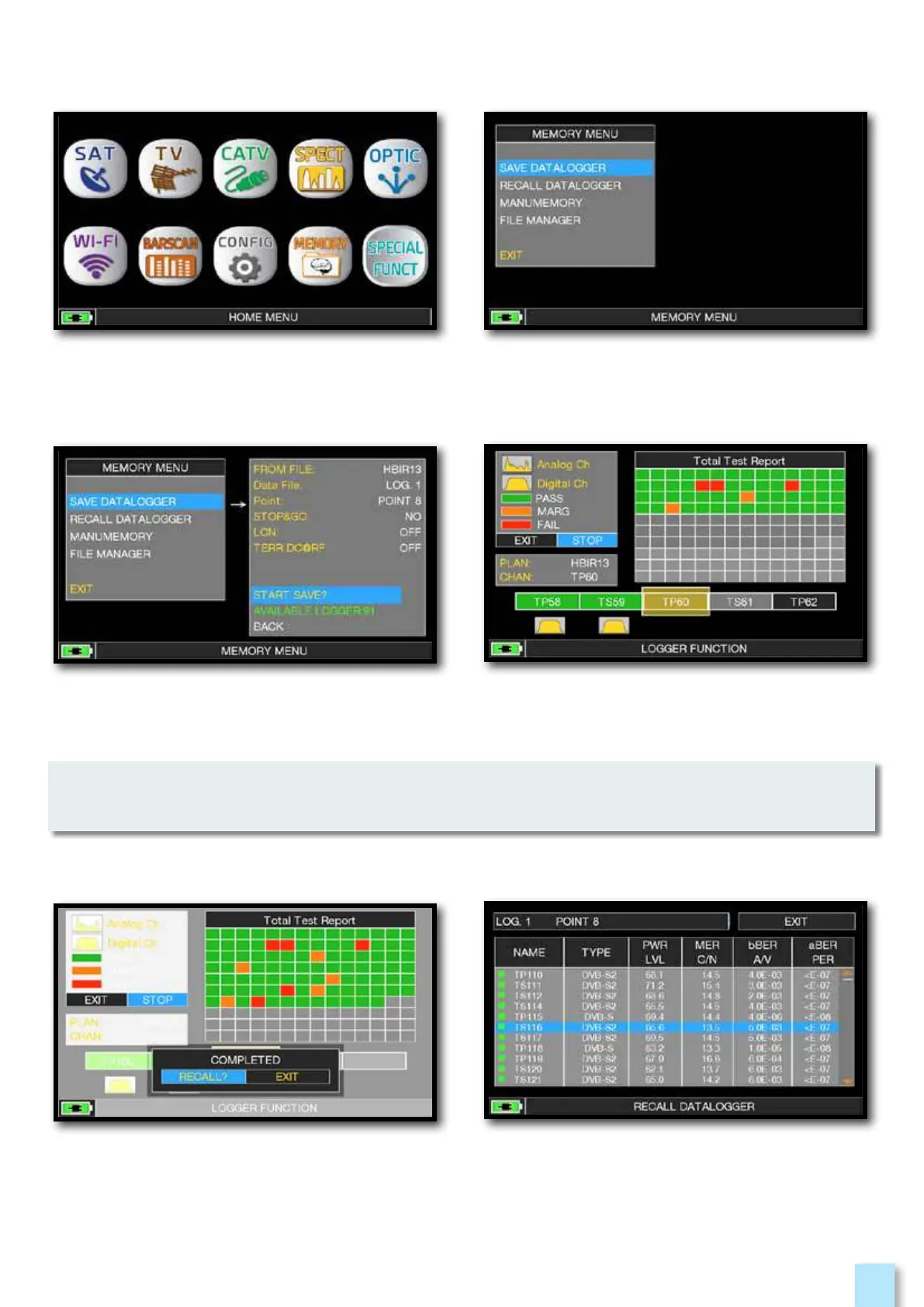
Press the “HOME” key. Touch “SPECIAL FUNCT” and then “SAVE
DATALOGGER”
NOTE: if the MANU plan has mixed TV and SAT programs, the “STOP&GO” function will assist
when running a LOGGER asking to move the cable lead from a TV to a SAT signal source.
Touch “SAVE DATALOGGER” and set the
parameters required. Touch “START SAVE”
to create a new log file.
Touch “RECALL” to recall the Logger
or “EXIT” to exit.
DATA LOGGER run.
Example of saved measured in the Log file.
Touch the screen to browse through
measurements.



 To Next Page