EasyManua.ls Logo

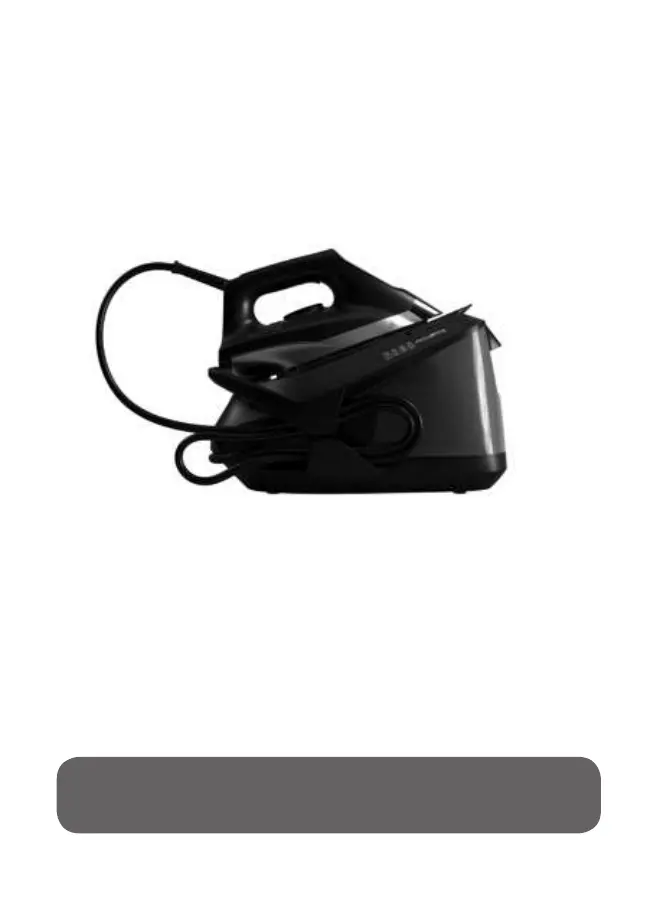
Rowenta PRO COMPACT IB9100 VR8324U1 - User Manual

Rowenta PRO COMPACT IB9100 VR8324U1
39 pages
Print Icon
To Next Page IconTo Next Page
Loading...
EN
FR
ES
Compact Steam Pro

Questions and Answers

  • R
    Russell PhillipsAug 2, 2025
    Why is water leaking from my Rowenta PRO COMPACT IB9100 VR8324U1's soleplate?
    • R
      Richard DavisAug 2, 2025
      If water runs out of the holes of the soleplate of your Rowenta Iron, it could be due to several reasons: * If you're using steam for the first time or haven't used it recently, press the steam control button, pointing the iron away from your ironing board, until steam is produced. * If the setting is incorrect (1 dot / 2 dots) and the soleplate isn't hot enough, set the iron at 3 dots (••• or MAX) and wait for the thermostat light to go out before using the steam button again. * If you're performing the Anti Calc procedure, water running out is normal.
  • M
    Maria RussoAug 6, 2025
    Why is my Rowenta Iron not producing steam?
    • D
      David TerryAug 6, 2025
      If your Rowenta Iron is producing little or no steam, here are a few things to check: * If you've just filled the tank, changed the anti-calc cartridge, or started using the iron, continuously press the steam control button for a few minutes, pointing it away from your linen to prime the pump. * Ensure the anti-calc cartridge is correctly installed and locked in its compartment. * Steam production requires a suitable temperature; set the thermostat control to the coloured zone (••• or MAX). * If the water tank is empty, refill it.
  • M
    Matthew ValenciaAug 10, 2025
    What to do if Rowenta PRO COMPACT IB9100 VR8324U1 Iron leaves water streaks on linen?
    • F
      francislauraAug 10, 2025
      If water streaks appear on the linen while using your Rowenta Iron, the ironing board may be saturated with water because it is not suitable for use with an appliance. Check that your ironing board is appropriate. It is recommended to use a vented/mesh type ironing board.
  • E
    ejonesAug 14, 2025
    Why is the soleplate of my Rowenta Iron dirty?
    • B
      Brandy GibbsAug 14, 2025
      If the soleplate of your Rowenta Iron is dirty or brown and may stain the linen, it might be because you are ironing at too high a temperature. Refer to the recommendations regarding temperature control settings.
  • M
    megan08Aug 19, 2025
    Why does my Rowenta PRO COMPACT IB9100 VR8324U1 Iron leave brown streaks on linen?
    • L
      Luis WeissAug 19, 2025
      If brown streaks come through the holes in the soleplate of your Rowenta Iron and stain the linen, it means that you are using chemical descaling agents or additives in the water. Never add this type of product to the water tank (see “for what water may be used”). Contact an Approved Service Centre.
  • S
    Samantha CarterAug 23, 2025
    What to do if anti calc indicator is still flashing on Rowenta PRO COMPACT IB9100 VR8324U1 Iron after performing Anti calc procedure?
    • K
      Kim LandryAug 23, 2025
      If the anti-calc indicator is still flashing on your Rowenta Iron after performing the anti-calc procedure, it means that the anti-calc procedure has not been correctly done. Please refer to section 2.1 "Maintenance" to correctly perform the anti-calc procedure.
  • R
    Robin WilsonAug 27, 2025
    How to stop anti calc indicator from flashing on Rowenta Iron?
    • E
      Eric DixonAug 27, 2025
      To stop the anti calc indicator from flashing on your Rowenta Iron, press the Anti Calc button until the light stops flashing.

Summary

Important Safety Instructions

Read All Instructions Before Using

Follow basic safety precautions before using the appliance, including electrical safety and handling.

Troubleshooting

Iron Producing Little or No Steam

Addresses issues with steam output, including priming the pump and checking the anti-calc cartridge.

Steam Production Issues

Covers problems where steam cannot be produced, likely due to incorrect settings or temperature.

Water Discharge and Staining Problems

Resolves issues like water running from soleplate, streaks, or brown stains on linen.

Soleplate and Indicator Issues

Addresses a dirty soleplate, indicator lights, and required maintenance procedures.

Using Your Appliance

1.1 Getting Started

Initial setup steps for the steam generator, including unlocking, unwinding cords, and plugging in.

1.2 Filling the Water Tank

Instructions on how to safely switch off, unplug, remove, fill, and reinsert the water tank.

1.3 Transportation

Guidance on using the lock system to hold the iron onto the base for safe transport and storage.

1.4 Settings

Details on changing temperature and steam settings using the thermostat and the ECO button.

1.5 Vertical Steaming

Procedure for vertical steaming, including garment hanging and iron positioning for crease removal.

1.6 Auto-off Function

Explanation of the automatic shut-off system that activates after a period of non-use.

Maintenance and Storage

2.1 Descaling Your Generator

Procedure for descaling the generator when the 'Anti calc' indicator light flashes.

2.2 Cleaning

Instructions for cleaning the soleplate and plastic parts, emphasizing unplugging and cooling.

2.3 Storage

Guidance on storing the steam generator, including cord storage and emptying the water tank.

Rowenta PRO COMPACT IB9100 VR8324U1 Specifications

General IconGeneral
ModelPRO COMPACT IB9100 VR8324U1
TypeSteam Iron
Steam Output120 g/min
SoleplateStainless Steel
Water Tank Capacity300 ml
Vertical SteamYes
Auto Shut-OffYes
Self-CleaningYes
Anti-Calc SystemYes

Related product manuals