Roxio Creator User Guide
www.roxio.com
140
2 Start playing your source audio.
3 Click Record to start recording.
4 Optional: If you limited the recording time in the Capture Settings
dialog box, and you want to extend the recording time, click + (beside
Time left to record) for each additional minute that you want to
record.
5 When the source finishes playing, click Stop to stop recording.
6 When you finish recording, click Close.
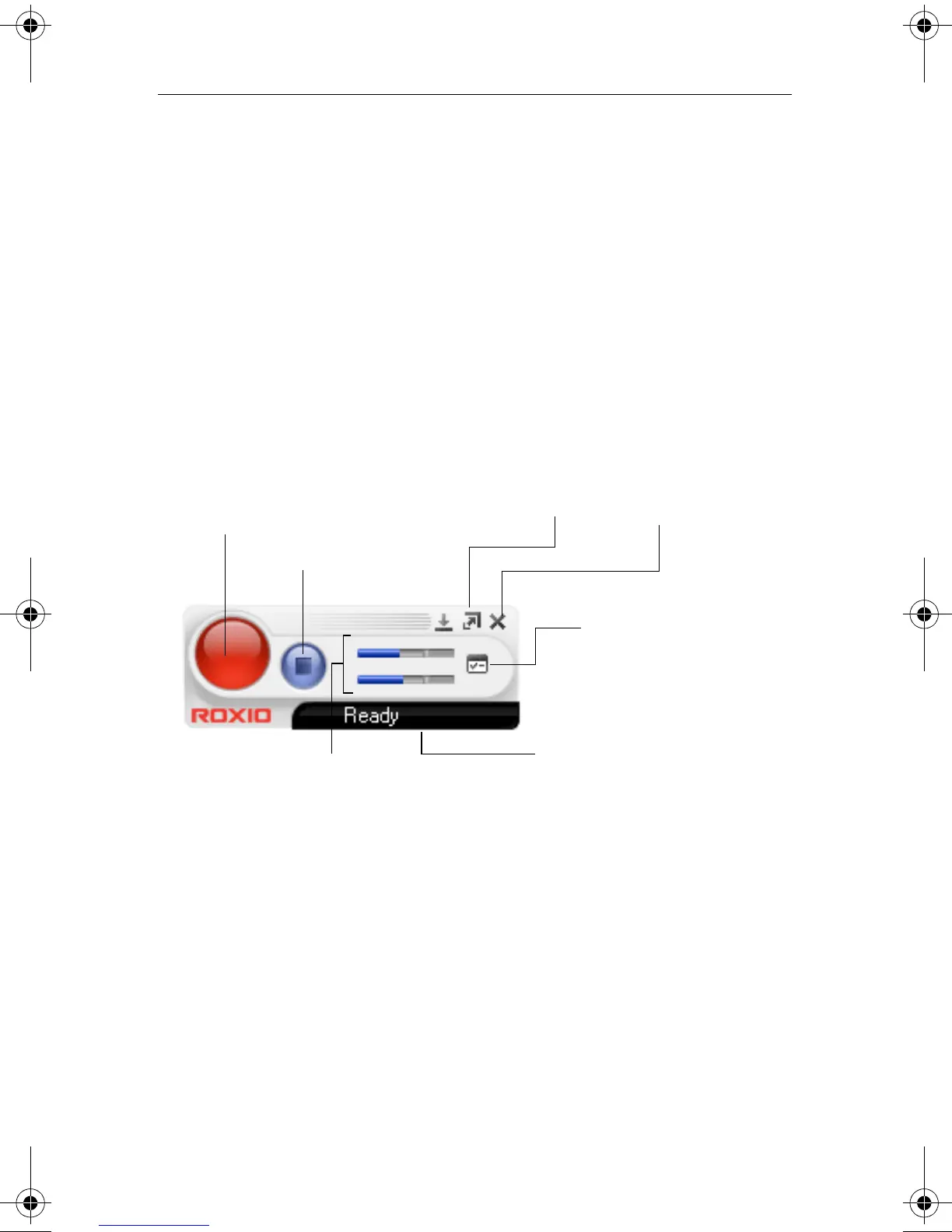
Using Easy Audio Capture in Mini mode
The Status display shows the amount of time left on the drive, the recording
time elapsed, or the time left to record (if you have limited the recording
time in the Options). To change between these displays, click the Status
display area.
To record audio in mini mode:
1 Optional: Click Options and customize capture options, including
file format, encoder type, bit rate, and file location.
2 Click Record to start recording.
3 Click Stop to stop recording.
Record
Stop
Recording
level
Options
Switch to Full
Mode
Close
Status
display
C13_UserGuide.book Page 140 Wednesday, June 9, 2010 4:11 PM



 To Next Page