Recording and managing audio files
Creating Audiobooks
143
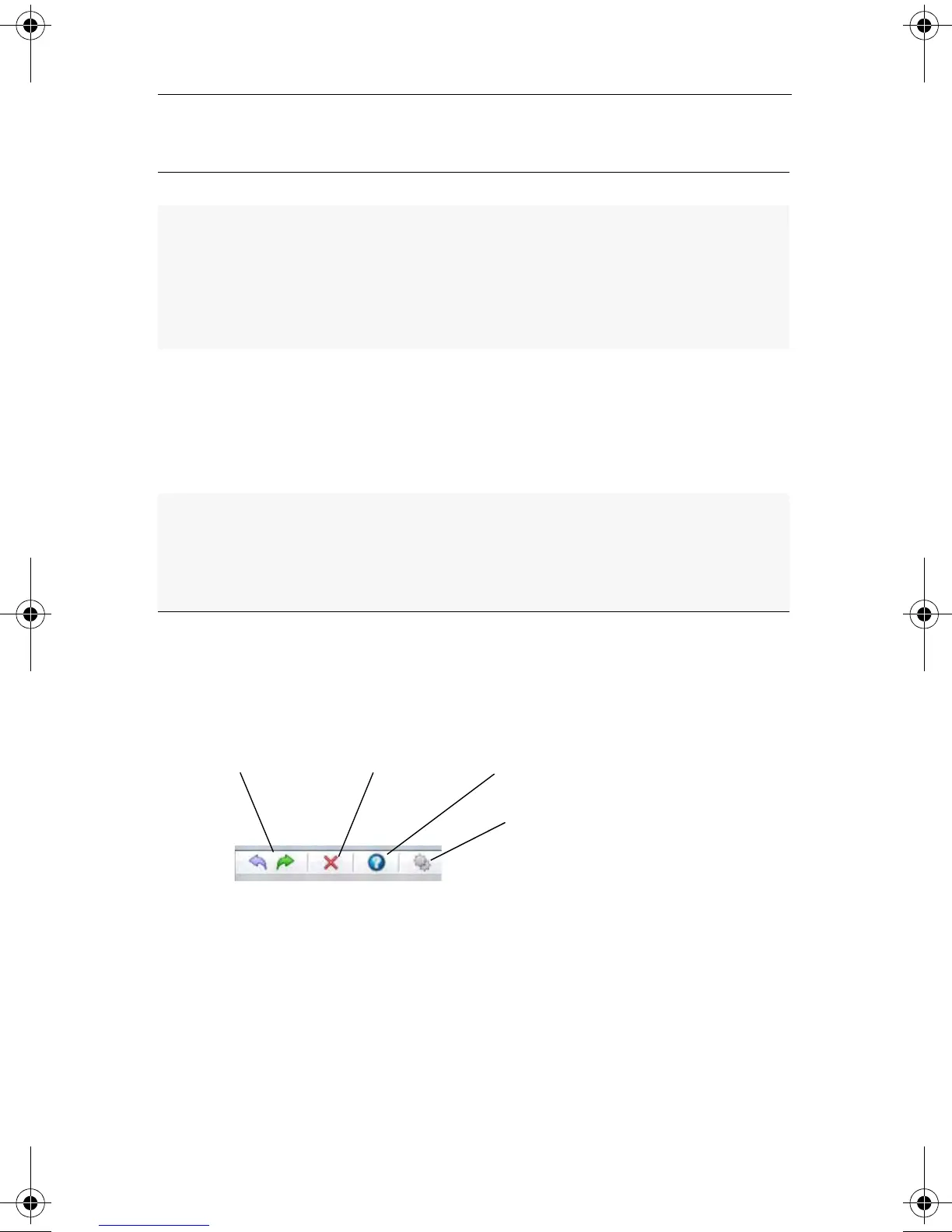
The Audiobook Creator window also contains the following features:
■
Toolbar
■
Undo/Redo: Use these buttons to undo or redo the last action
taken.
■
Delete: Select the tracks you want to delete, then click Delete.
■
Help: Opens the Audiobook Creator help file.
■
Settings: Use the Settings dialog to customize preferred audio
quality and file format settings. File format is only valid if you
output to a playlist, or to a portable device other than an iPod,
Format output Description
.M3U Standard audiobook playlist
■
Many players support chapter skipping since
chapters are not merged
■
Some players do not support pause/resume of
playlists when bookmarking is used
.WPL Windows Media Player audiobook playlist
■
Many players support chapter skipping since
chapters are not merged
■
Some players do not support pause/resume of
playlists when bookmarking is used
.MP3 Merged playlist
■
Chapter skipping is not supported
■
Most players support pause/resume of single
files when bookmarking is used
Undo/Redo Delete Help
Settings
C13_UserGuide.book Page 143 Wednesday, June 9, 2010 4:11 PM



 To Next Page