Toast 6 Titanium Getting Started Guide
Installing Toast 6 Titanium
7
Getting Started
Installing Toast 6 Titanium
To install Toast:
1 Insert the Toast CD into your drive.
The Roxio Toast 6 Titanium folder appears on your desktop.
2 Drag the Roxio Toast 6 Titanium folder to the location on your hard
disk where you want Toast to be installed.
3 In the new location, double-click the application to launch Toast.
4 Follow the onscreen instructions to set up Toast the first time.
You will be asked to enter a CD key and accept the license agreement.
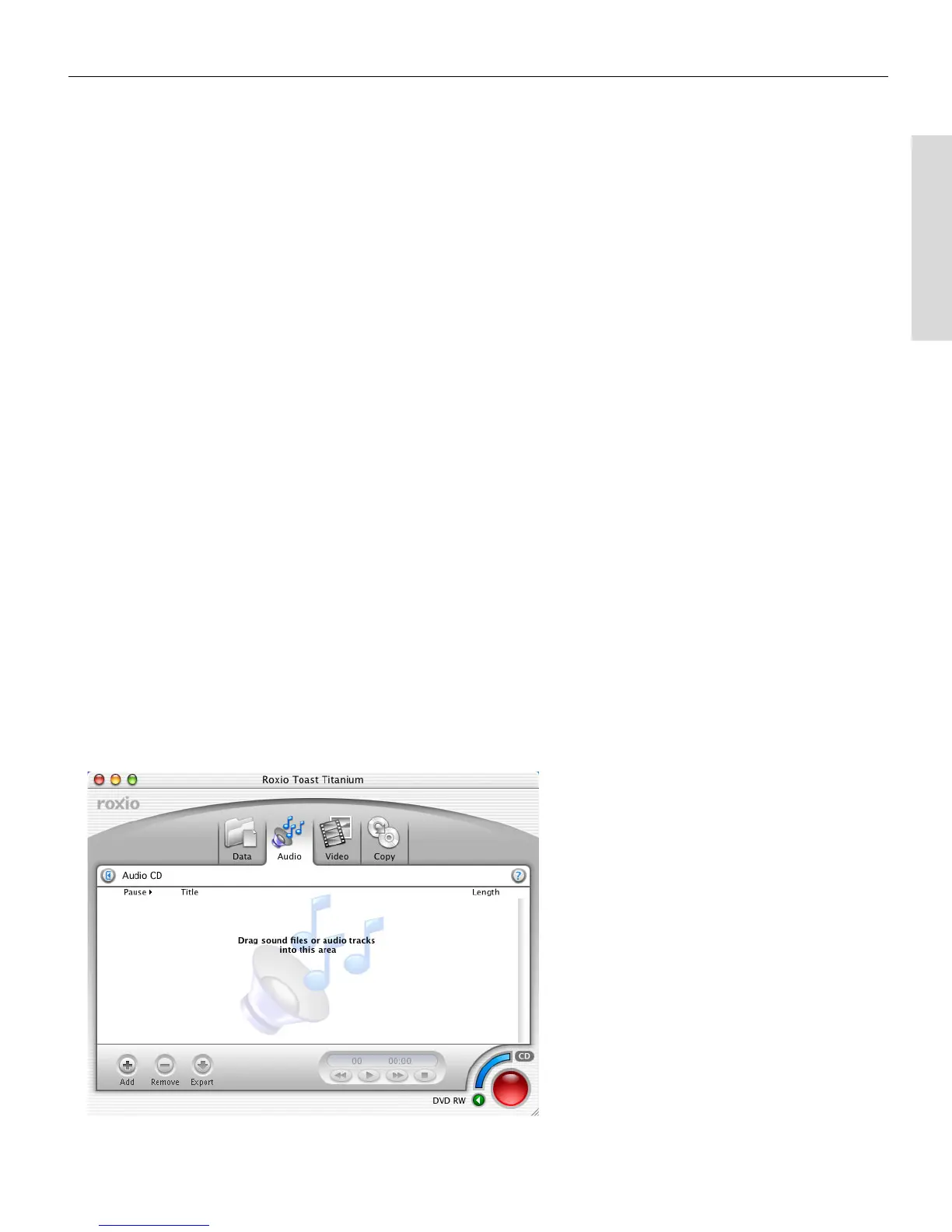
About the Toast Main Window
The Toast main window contains these components:
■
Disc tabs. Click a tab to select the type of disc you want to make.
■
Content area. This is where the files you are recording to disc appear.
■
Record button. Click this button to begin recording the files in the
content area to disc.
■
Disc Settings drawer. This drawer lets you change preferences about
each type of disc you are making.
The Toast main
window
Toast 6_0 GSG.book Page 7 Tuesday, July 8, 2003 5:32 PM



 To Next Page