EasyManua.ls Logo

Royal Sovereign RDH-130 - User Manual

Royal Sovereign RDH-130
48 pages
Print Icon
To Next Page IconTo Next Page
Loading...
Royal Sovereign International Inc.
Página en Español 17
Page en Français
33
Read and retain these instructions for future reference.
For any Customer Support needs, please choose the Support tab on
www.royalsovereign.com (USA)
www.royalsovereign.ca (Canada)
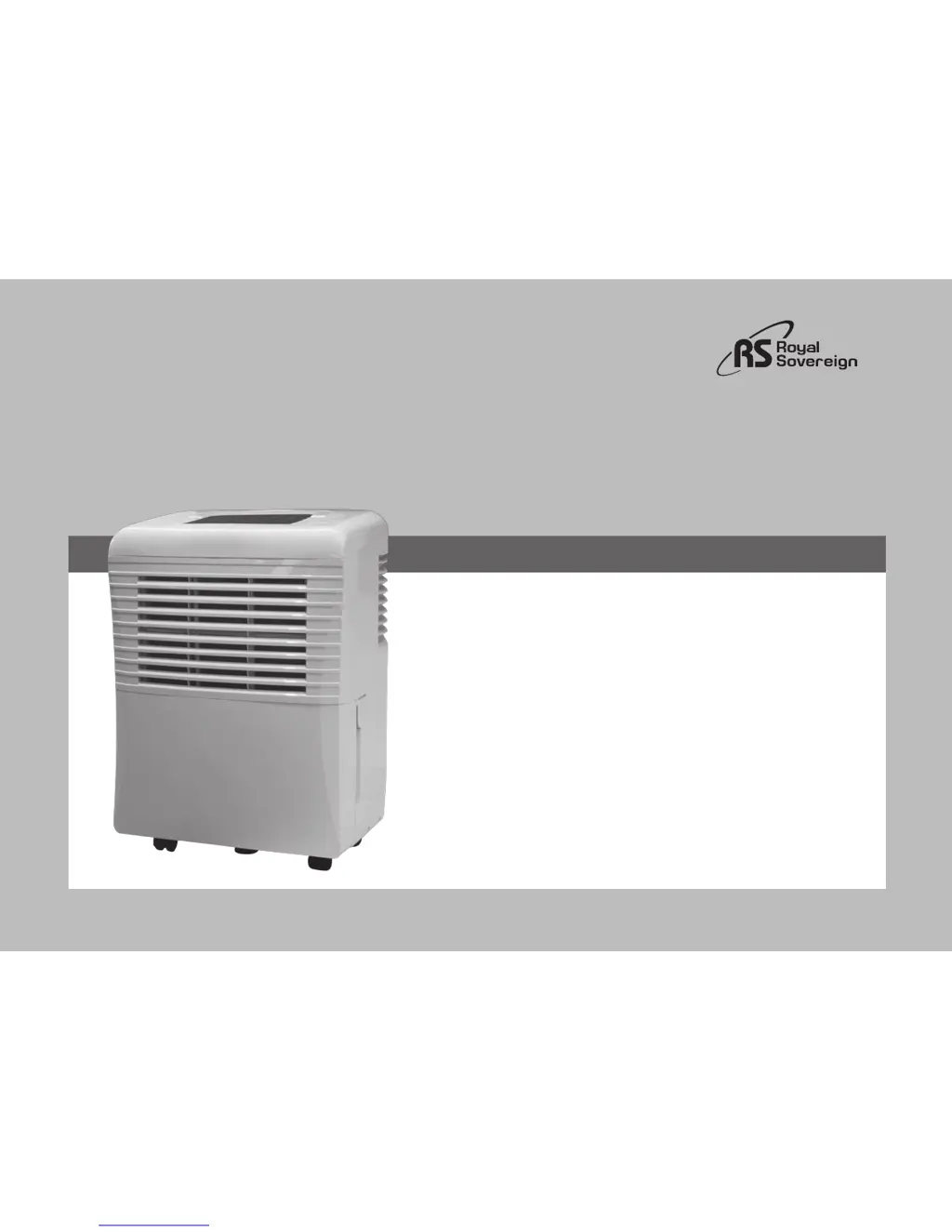
RDH-130/ 150/ 170
OWNER’S MANUAL
DEHUMIDIFIER

Table of Contents

Questions and Answers

  • D
    Derrick BaldwinJul 26, 2025
    What to do if my Royal Sovereign RDH-130 Dehumidifier is not working?
    • A
      Angela JensenJul 26, 2025
      If your Royal Sovereign Dehumidifier isn't working, there are several things to check: * Ensure the power cord is firmly plugged into the outlet and check the fuse for the room. * Make sure the unit is turned on. * Verify the humidity setting is lower than the current room humidity. * If the power was recently shut off and turned back on, the compressor may take up to 5 minutes to start.
  • D
    Debra GordonAug 2, 2025
    Why is the water light on my Royal Sovereign RDH-130 Dehumidifier lit?
    • G
      Gregory SandovalAug 3, 2025
      The water light on your Royal Sovereign Dehumidifier may be lit due to: * A blockage in the water flow. Check the hose for any crimps or obstructions. * The water bucket being full. Ensure the bucket is emptied.
  • J
    Jade MartinAug 11, 2025
    What to do if air in the room is still humid with Royal Sovereign RDH-130 Dehumidifier?
    • K
      Kenneth JohnsonAug 11, 2025
      If the air in the room remains humid even with your Royal Sovereign Dehumidifier running, consider the following: * Clean the air filter, as it may be dirty or blocked. * Ensure the room temperature is above 5 °C (41 °F). * Improve air circulation by moving the unit away from obstructions. * Set the humidity percentage to a lower level.
  • V
    vanessahoganAug 17, 2025
    Why is the relative humidity setting not being reached on my Royal Sovereign RDH-130 Dehumidifier?
    • M
      Michael DawsonAug 17, 2025
      If your Royal Sovereign Dehumidifier isn't reaching the set humidity level after running for a while: * Check that all windows and doors are closed. * Consider that the area might be too large for the dehumidifier's capacity and try changing its location within the room.

Summary

INTRODUCTION TO DEHUMIDIFIER

GENERAL USE AND SAFETY GUIDELINES

General Use Guidelines

Essential usage instructions and common sense precautions for the appliance's operation.

Critical Safety Precautions

Important safety warnings regarding electrical, environmental, and usage practices for safe operation.

PACKAGE CONTENTS AND SETUP

Box Contents Identification

List of items included in the dehumidifier package upon purchase.

Dehumidifier Parts Diagram

Identification of front and rear components of the dehumidifier unit.

Initial Setup Procedures

Steps for initial operation, environmental considerations, and unit placement guidelines.

OPERATING THE DEHUMIDIFIER

Control Panel Overview

Explanation of the control panel buttons, indicators, and display functions.

Function Settings and Controls

How to set humidity levels, fan speed, and utilize timer functions.

Additional Operational Features

Details on bucket full indicator, auto shut-off, defrost, and auto-restart.

Water Removal Methods

Procedures for emptying the water bucket and setting up continuous drainage.

MAINTENANCE AND STORAGE

Air Filter Cleaning Instructions

Detailed instructions for removing and cleaning the washable air filter.

Unit Storage Guidelines

Procedures for preparing the dehumidifier for long-term storage.

TROUBLESHOOTING GUIDE

TECHNICAL SPECIFICATIONS

WARRANTY INFORMATION

Full One Year Warranty Details

Details of the manufacturer's limited one-year warranty coverage.

Warranty Exclusions

Conditions and causes not covered by the product warranty.

Royal Sovereign RDH-130 Specifications

General IconGeneral
ModelRDH-130
Coverage AreaUp to 1, 500 sq. ft.
Noise Level51 dB
Dimensions13.5" x 9.8" x 20.1"
Weight28.7 lbs
Operating Temperature41°F - 89.6°F

Related product manuals