Need help?
Do you have a question about the Royal HT700X and is the answer not in the manual?
Details the one-year labor warranty, conditions not covered, and limitations on damages.
Outlines steps for obtaining service, including product return authorization and contact information.
Instructions for setting up the shredder, using its main switch, and understanding its capacity.
Important warnings and advice for safe operation, including handling paper jams and overload protection.
Lists key product details such as shred type, capacity, feed opening, and electrical input.
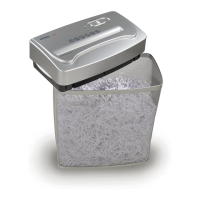
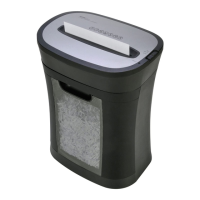
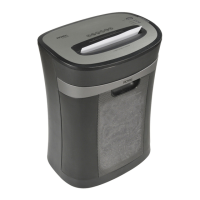
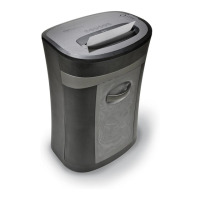
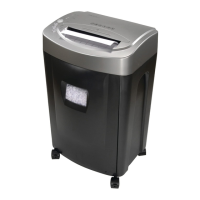
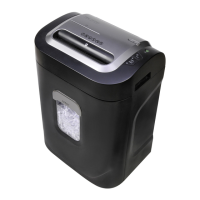
The Royal HT700X is a crosscut paper shredder designed for personal and small office use, offering a secure way to dispose of sensitive documents. Its primary function is to shred paper into small, unreadable pieces, ensuring the privacy and security of your information.
The HT700X operates by feeding paper into a shredding mechanism that cuts it into small, cross-cut particles. This method provides a higher level of security compared to strip-cut shredders, making it more difficult for unauthorized individuals to reconstruct shredded documents. The shredder is designed to handle standard paper sizes and can also shred small items like envelopes and credit cards, enhancing its versatility for various disposal needs.
The device features a motor overload protection system, which is crucial for preventing damage from continuous or excessive use. This system automatically terminates power to the unit if it detects abnormal operating conditions, such as prolonged shredding at maximum capacity or exceeding the recommended sheet limit. This protective feature helps extend the lifespan of the shredder by preventing overheating and motor strain.
Setting up the HT700X is straightforward. It is designed to sit securely on top of a wastebasket, ensuring that shredded material is collected efficiently. Users simply need to plug the power cord into a standard 115-volt AC outlet. The main switch, conveniently located on the top of the shredder, offers three settings: AUTO, REV, and OFF.
The AUTO setting is the primary mode for shredding. When selected, the shredder automatically starts when paper is inserted into the feed opening and stops once the paper has completely passed through the mechanism. A green LED illuminates to indicate that the shredder is in AUTO mode and ready for operation. If the LED does not light up, users are advised to adjust the shredder's position on the wastebasket to ensure it sits flush.
The REV (reverse) setting is a critical feature for clearing paper jams. If paper becomes stuck during the shredding process, activating the REV mode reverses the cutters, helping to pull the paper back out. This prevents further damage to the shredder and allows users to remove the jammed material safely.
The OFF position is recommended for safety and maintenance. It should be used when emptying the wastebasket, when the shredder is not in use for an extended period, or before moving or cleaning the unit. This ensures that the shredder is completely powered down, minimizing the risk of accidental activation.
For optimal performance, it is recommended to insert paper squarely into the feed opening. When shredding smaller items like envelopes or credit cards, users should insert them through the middle of the feed opening to ensure proper shredding. The shredder has a specified capacity for sheets of 20-lb. bond paper, and exceeding this limit can trigger the motor overload protection.
In the event of a paper jam or overload, the device's protection system will activate. Users should unplug the power cord from the AC outlet and wait for a few minutes for the overload protection to reset. Any excess paper from the top of the shredder should be torn or cut off. Once reset, plugging the power cord back in and placing the Main Switch in REV mode will help pull out any remaining paper from the cutters. After clearing the jam, the Main Switch can be returned to AUTO to resume normal shredding. It is important to keep fingers away from the feed opening to avoid harm during this process.
Proper maintenance is essential for ensuring the longevity and safe operation of the Royal HT700X. Several cautions are outlined to guide users in maintaining the device and preventing injury.
Firstly, users should always keep loose articles of clothing, ties, jewelry, hair, and other small items away from the feed opening to prevent them from getting caught in the shredding mechanism. This is a crucial safety measure to avoid personal injury.
The shredder should be kept in the OFF position when not in use for prolonged periods. This conserves energy and prevents accidental activation.
Before shredding, it is recommended to remove all paper clips. While the unit can cut small paper clips, it is not advisable, as it can potentially dull the cutters over time. Similarly, hands and fingers should never be placed into the shredder throat, as this can result in serious injury.
To prevent motor overheating and ensure continuous operation, users should adhere to the recommended duty cycle. Continuous shredding of computer paper should not exceed a specified duration. If continuous use is required, it is advised to operate the shredder for a set period and then allow it to rest for a specified cool-down period. This allows the motor to cool down properly, preventing damage from prolonged use.
Before moving, cleaning, or emptying the wastebasket, the shredder should always be turned off or unplugged. This ensures that the device is completely de-energized, preventing any accidental starts during handling.
Finally, users are advised to empty the wastebasket frequently. This prevents shredded material from accumulating and potentially backing up into the shredding mechanism, which could lead to jams or reduced performance. Regular emptying also helps maintain a clean and organized workspace.
The Royal HT700X is designed for ease of use and includes features that promote both efficient document destruction and user safety, provided that the operational and maintenance guidelines are followed diligently.
 General
| Auto Start/Stop | Yes |
|---|---|
| Overload Protection | Yes |
| Throat Width | 220 mm |
| Bin Capacity | 15 liters |
| Shredding Speed | 3.5 meters per minute |


 To Next Page