Using Mobile App
12
Accessing, Downloading and Managing video les via Mobile App:
After connecting to the camera’s Wi-Fi, launch the RSC Viewer mobile app
on your smartphone, and press “Connect to Camera”. After a successful
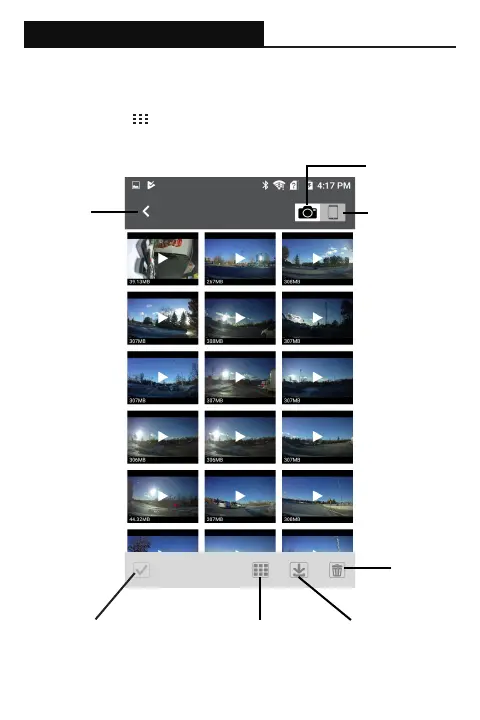
connection, tap the icon located at the bottom left of the screen. The
following screen should display on your mobile app:
Select Multiple Select All Download
Selected
Delete
Selected
Switch to
Camera Storage
Switch to
Phone Storage
Back to
Live View


 To Next Page