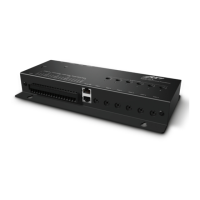
Remote Control Processor
XP-6
16
ETHERNET
This RJ-45 port allows connection to a 10/100 Base-T Ethernet network
(LAN) for programming, control and communication with compatible
devices. Network settings such as the IP address are congurable within
Integration Designer
®
.
USB PORT
Used to download programming software or rmware into the XP-6.
EXPANSION PORT
This RJ-45 port provides a convenient connection for receiving IR signals
from in-wall controllers through an RTI connecting block (CB-8). It also
enables two-way serial communication (RS-485) with in-wall touchpanels
or expansion devices.
RS-232 PORTS
The XP-6 is capable of two-way RS-232 communication and uses industry
standard cat5 cable with RJ-45 termination (568B).
NOTE: RS-232 communication has a distance limitation of 50-100 feet.
CHAPTER 3 | INSTALLATION AND OPERATION
DB-9 Connector Pin Out
Pin Signal Signal
Name Description
1 DCD Carrier Detect
2 RXD Receive Data
3 TXD Transmit Data
4 DTR Data Terminal Ready
5 GND Signal Ground/Common
6 DSR Data Set Ready
7 RTS Request To Send
8 CTS Clear To Send
9 NC Not Connected
RJ-45 Connector Pin Out
Pin Signal Signal
Name Description
1 DSR Data Set Ready
2 DCD Carrier Detect
3 DTR Data Terminal Ready
4 GND Signal Ground/Common
5 RXD Receive Data
6 TXD Transmit Data
7 CTS Clear To Send
8 RTS Request To Send
RJ-45 TO DB-9 ADAPTER PINOUT


 To Next Page