MCE-325 Programmable User Station Operation 35
Bosch Security Systems, Inc.
Technical Manual
F.01U.193.228
Rev. 13
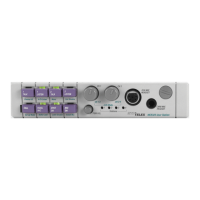
Sending and Receiving Call Signals
To call a channel, do the following:
1. Press the CALL button.
The CALL LED flashes to indicate call signal ready.
2. Press and hold the talk button for the channel to be called.
The call signal transmits as long as the talk button is held.
3. When a response is received, release the talk button to turn off the call signal.
Receiving a call:
When there is an incoming call, the indicator LED above the appropriate channel selector button flashes.
Using the Talk-Off Feature
The Talk-Off feature deactivates the mic switches of all remote user stations on a selected channel.
To use talk-off, do the following:
1. Press and release the CALL button three (3) times in rapid succession.
The CALL LED turns on to indicate talk-off signal ready.
2. Momentarily press the talk button for the channel to be deactivated.
This causes the talk-off signal to be transmitted.
3. Release the talk button to end the talk-off signal transmission.
Front Panel Programming
Activating Setup Mode
To activate setup mode, do the following:
> Press and hold the CALL button for 5 seconds.
The TALK 1, LISTEN 1, TALK 2, LISTEN 2, PANEL MIC, SPKR ON, and MIC ON LEDs begin to flash. This is the
main menu.
Menu Selection/Ending Setup
The submenu names are listed under the switches.
1. Press the desired switch to access the submenu.
2. Press the CALL button from a submenu to return to the main menu.
3. Press the CALL button again to exit from the main menu to the operating mode.
NOTE: If no submenu is selected from the main menu within 12 seconds after program mode activation, the
programming mode times out, and the MCE-325 returns to normal operation. If a submenu is selected,
however, the unit remains in programming mode until intentionally exited.


 To Next Page