PortaMonitor Getting started Page 6-1
6. Getting started
6.1. First time operation
The PortaMonitor has been designed for Stand-alone operation. A
mounting plate for built-in operation in consoles or other frames is
available as accessory.
6.2. Conneting 1061/10611-VID/1062/10621-VID
The PortaMonitor 1061, 10611-VID, 1062 and 10621-VID feature two
analog and one digital inputs, a power supply and a remote control
connector. The pinning is as follows:
XLR:
Pin: Function:
1 screen/case
2 audio input (+, hot) or AES/EBU signal (+, hot)
3 audio input (-, cold) or AES/EBU signal (-, cold)
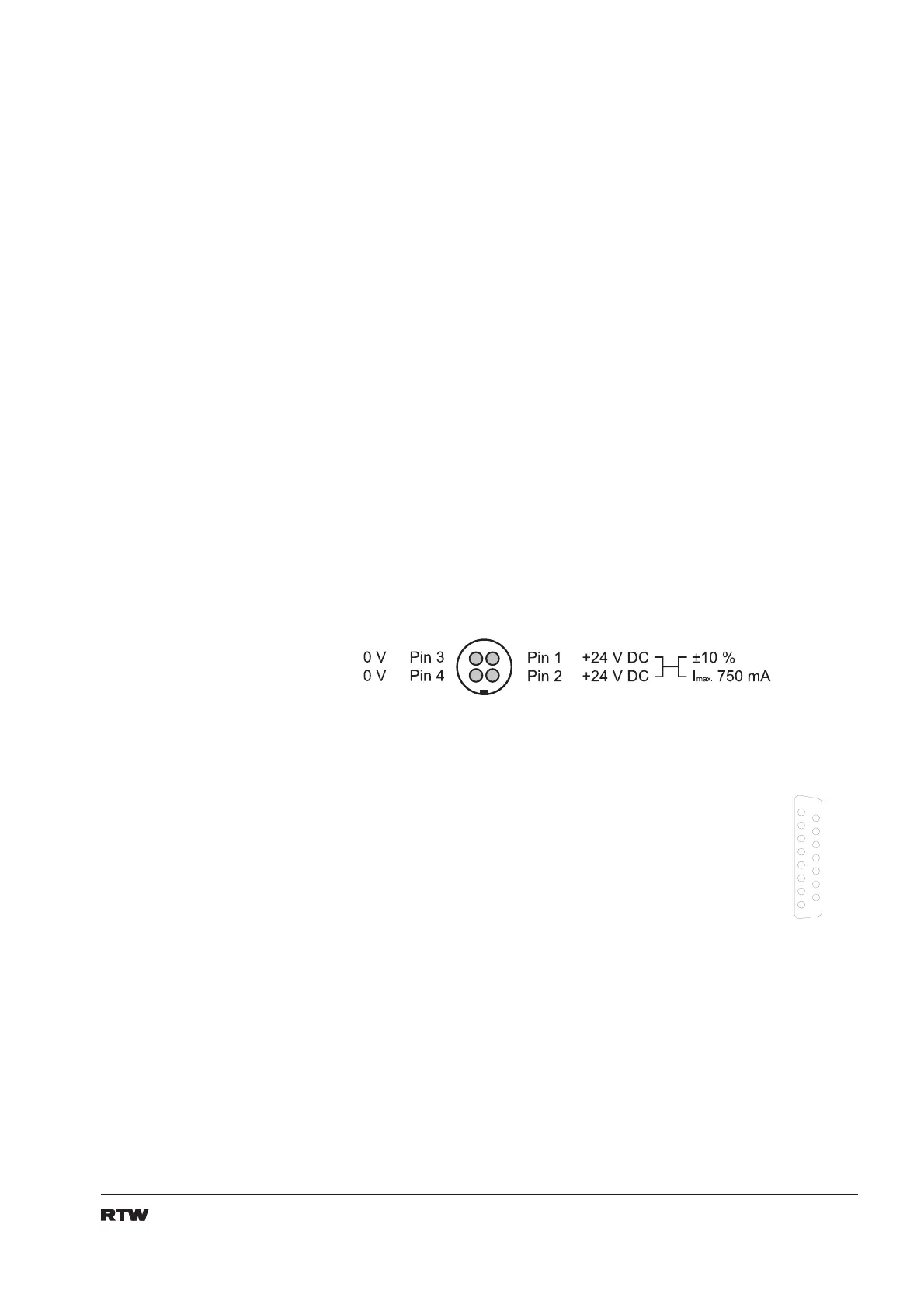
Power supply connector:
Remote control connector:
Pin: Function:
1 common potential for external switches
2 external function selection: gain
3 external function selection: memory reset
6 external function selection: loudness
7 external function selection: peak hold
8 external function selection: shift
9 external function selection: memory
10 external function selection: menu
11 external function selection: status
12 external function selection: opt 1
13 external function selection: opt 2
14 external function selection: RTA
15 external function selection: gonio
P i n 1
P i n 2
P i n 3
P i n 4
P i n 5
P i n 6
P i n 7
P i n 8
P i n 9
P i n 1 0
P i n 1 1
P i n 1 2
P i n 1 3
P i n 1 4
P i n 1 5


 To Next Page