PortaMonitor Calibration and Service Page 8-3
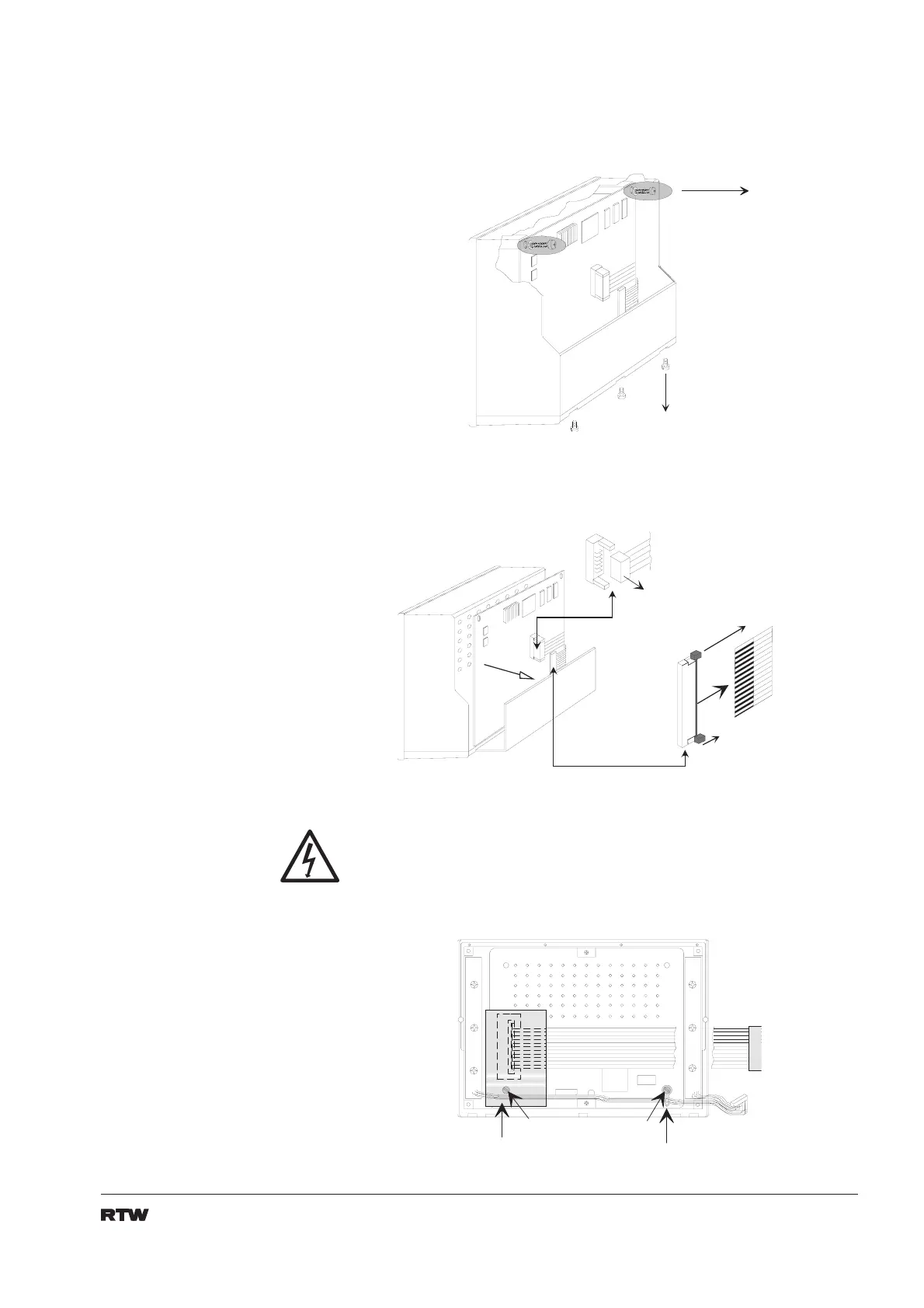
5. Take out the two screws fixing the main pcb. Remove the three screws at
the bottom of the PortaMonitor which hold the connector panel in place.
Carefully remove connector panel and main pcb. (fig. 8-3)
2 S c h r a u b e n
2 s c r e w s
3 S c h r a u b e n
3 s c r e w s
Fig. 8-3: Unscrew and removal of main pcb and connector panel
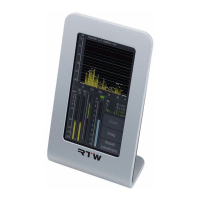
6. Take out flat cable CN-2 after carefully loosing the locker. Take out flat
cable CN-1 as well. (fig. 8-4)
K l e m m v e r r i e g e l u n g
C l a m p i n g l o c k
D a t e n k a b e l
f l a t c a b l e
Fig. 8-4: Loosen the flat cables
7. Store main pcb at a safe place. When servicing it is very important to
observe all standard ESD (electrostatic discharge) protection procedures.
8. Loose the tab and the shield protecting the data link cable and store it
at a safe place.
E n t f e r n e n
R e m o v e
E n t f e r n e n
R e m o v e
Fig 8-5: Loosen tab and shield


 To Next Page