PortaMonitorPage 8-4 Calibration and Service
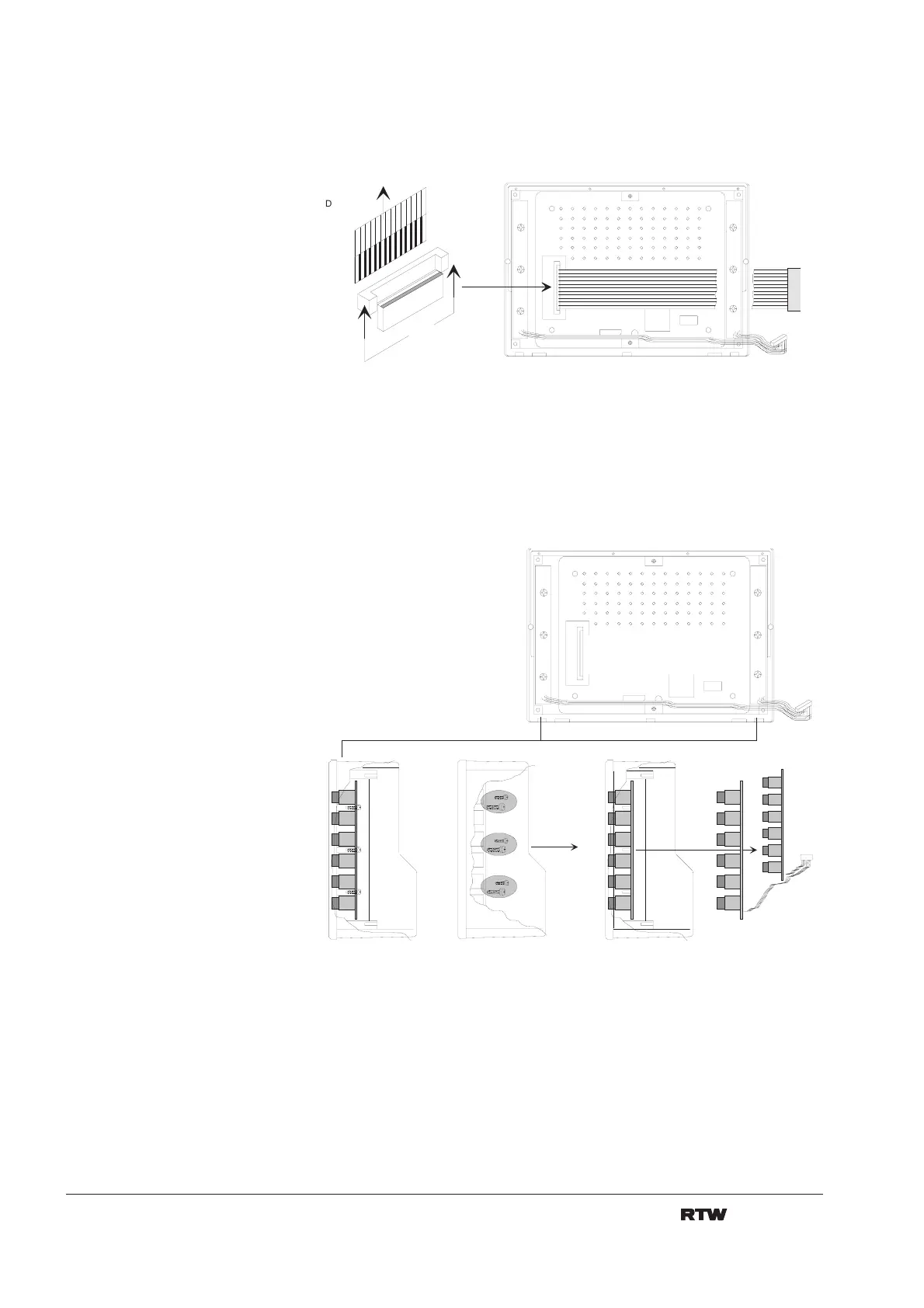
9. Loose the locker of the flexible flat cable at the display unit. Remove flat
cable. Avoid damage of the flat cable because of canting. (fig. 8-5)
D a t e n k a b e l
F l a t c a b l e
K l e m m v e r r i e g e l u n g
C l a m p i n g l o c k
Fig. 8-6: Removal of the flat cable from the display unit
10. Remove the six fixing srews for the switch pcb´s and take boards out
of the frame. (fig. 8-7)
1 .
3 .
6 S c h r a u b e n
6 s c r e w s
2 .
Fig. 8-7: Removal of switch pcb
11. Dispose faulty display unit according to the regulations in your country
or district or return it to RTW. Repair of display units is not possible.


 To Next Page