PortaMonitor Calibration and Service Page 8-5
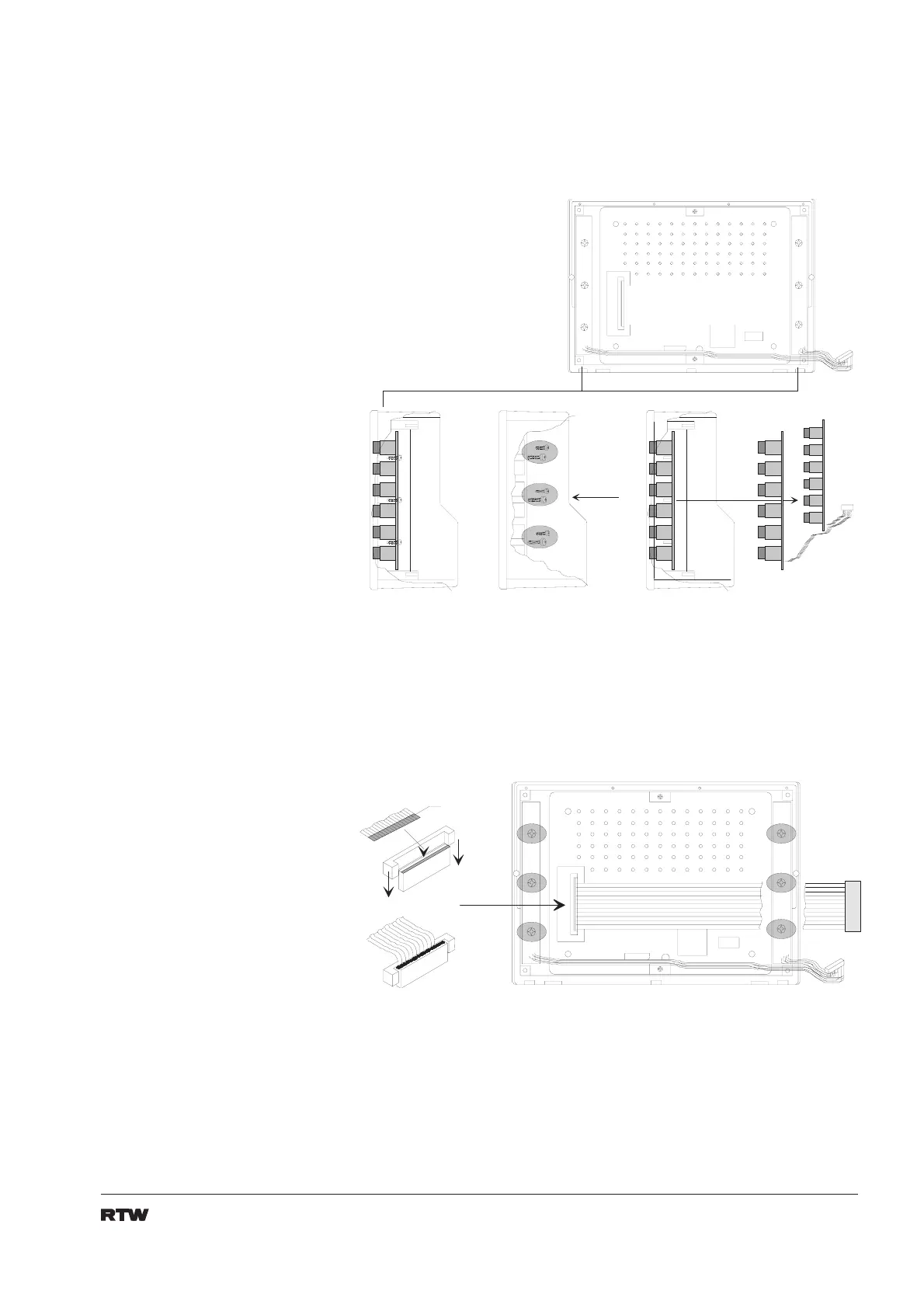
12. Place both switch pcb´s inside the new display unit and fix them by
the use of six screws. (fig. 8-8)
1 .
3 .
6 S c h r a u b e n
6 s c r e w s
2 .
Fig 8-8: Installation of switch pcb
13. Connect flat cable to display unit. Avoid damage of the flat cable
because of canting. (fig. 8-9)
- 1 -
- 2 -
K o n t a k t s e i t e
c o n t a c t s i d e
Fig 8-9: Connecting the display


 To Next Page