PortaMonitor Calibration and Service Page 8-7
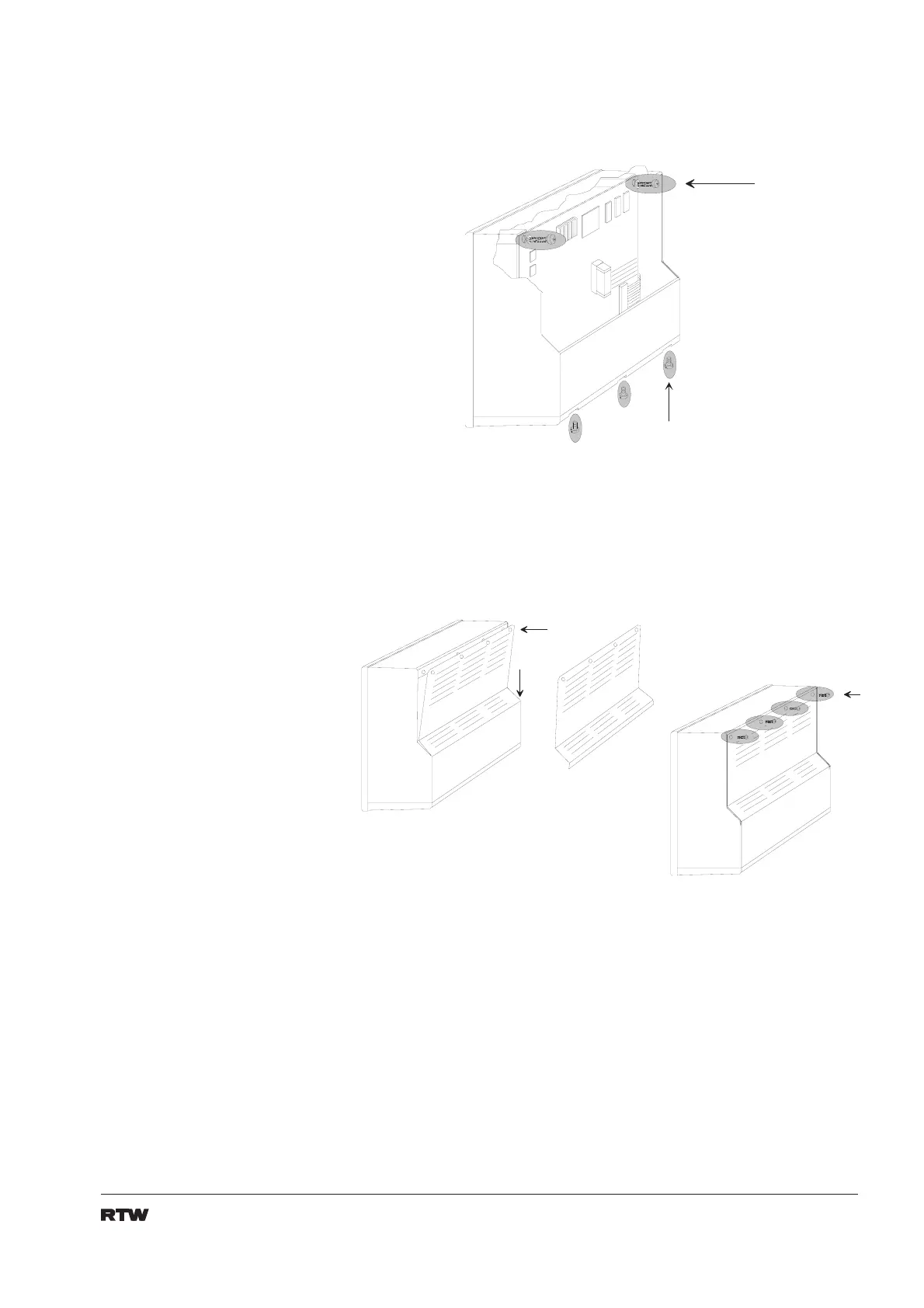
16. Fix main pcb with two screws. Install and fix connector panel with three
screws (fig. 8-12).
1 .
2 .
2 S c h r a u b e n
2 s c r e w s
3 S c h r a u b e n
3 s c r e w s
Fig 8-12: Fixing main pcb and connector panel
17. Check wiring and connections.
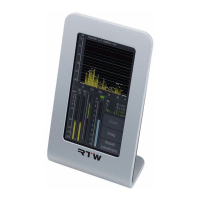
18. Reinstall rear cover and remount an optional stand-off. (fig. 8-13)
Fig 8-13: Mounting of rear cover
19.
Connect PortaMonitor to DC-supply and signal sources. Check function.


 To Next Page