Copyright © 2014 Ruckus Wireless, Inc. Page 1 of 4
Draft Published 11 December 2014, Part Number 800-70718-001 Rev A
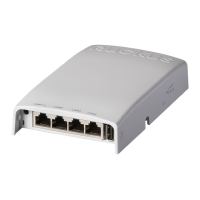
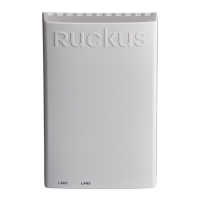
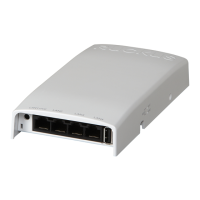
H500 Access Point
Quick Setup Guide
This Quick Setup Guide provides step-by-step instructions on how
to set up your Ruckus Wireless H500 Dual Band 802.11ac
Multimedia Wi-Fi Access Point Wall Switch. After completing the
steps described in this Guide, you will be able to access the Wi-Fi
Wall Switch and begin providing wired and wireless network
access to users. The rest of this document refers to the H500
Access Point Wall Switch as the H500.
The H500 has many options:
• It can be mounted on a standard USA- or EU-style single-
gang wall outlet box.
• It can be powered by a customer-supplied IEEE 802.3af/at-
compliant PoE switch or injector, or can be powered by an
optional customer-ordered DC power adapter.
• It has side cutouts for one or two Ethernet bypass cables. The
mounting bracket has locating hooks to keep the bypass
cables aligned with the cutouts when attaching the H500 to
the mounting base.
• It can have a low-power (0.5W or less) customer-supplied
USB adapter plugged in. The USB adapter is very difficult to
remove after the H500 is attached to the mounting base.
ABOUT POWERING PERIPHERAL DEVICES
The H500 can supply power to USB and PoE-powered devices,
and the power supplied depends on the PoE power supplied to
the H500.
• The USB port is intended for low-power devices such as BLE
beacons. The maximum power that the USB port can supply
is 0.5W.
• The PoE port is intended for PoE-powered peripheral devices
such as IP telephones.
THIS GUIDE IN OTHER LANGUAGES
• 请从以下网站获得该指南的简体中文版
https://support.ruckuswireless.com
.
• Vous trouverez la version française de ce guide à l'adresse
suivante https://support.ruckuswireless.com
.
• こ の ガ イ ド の 日本語版は https://support.ruckuswireless.com
でご覧く ださい。
• 이 가이드의 한국어 버전은 웹 사이트
(https://support.ruckuswireless.com
) 에서 확인하시기 바랍니
다 .
• Veja a versão em português (Brasil) deste guia em
https://support.ruckuswireless.com.
• Puede ver la versión en español (América Latina) de esta guía
en https://support.ruckuswireless.com.
BEFORE YOU BEGIN
Before deploying Ruckus Wireless products, please check for the
latest software and the release documentation.
• User Guides and Release Notes are available at
http://support.ruckuswireless.com/documents
.
• Software Upgrades are available at
http://support.ruckuswireless.com/software
.
• Open Source information is available at
http://opensource.ruckuswireless.com
.
• Software License and Limited Warranty are available at
http://support.ruckuswireless.com/warranty
.
PACKAGE CONTENTS
• H500 Access Point Wall Switch
• Mounting bracket
• Two 10mm M3x0.5 thread Torx flat head machine screws
• Two 1” 6-32 thread Phillips pan head machine screws
• Product warranty statement
• Registration card
• Regulatory flyer
• Declaration of Conformity, if required
•This Quick Setup Guide
Note: The H500 requires Ruckus Wireless base image 100.0.1
firmware or later. Managed H500 deployments require RuckOS
for SmartCell Gateway (SCG) 3.1 or later, RuckOS for virtual
SmartCell Gateway (vSCG) 3.0 or later, or ZoneFlex (ZF) 9.10 or
later.
H500 Power Options and Available Power Out for PoE Out
and USB
H500 Power Source Power Available for PoE Out
and USB
802.3af PoE 5W total
802.3at PoE 12.95W PoE Out (802.3af
Class 3) and
0.5W USB
DC power adapter (sold
separately)
12.95W PoE Out (802.3af
Class 3) and
0.5W USB

 Need help?
 General





 To Next Page