ENGLISH
This document contains information and safety regulations which
must be observed for safe operation of the RG655 under the de-
scribed conditions. Non-observance of this information and instruc-
tions can have serious consequences and / or may violate regulations.
Please read the manual and these safety instructions before using
the device. In the case of any doubt, the English version shall apply.
Thecurrent EU-declaration of conformity, certi cates, safety instruc-
tions and manuals can be found at www.RugGear.com, or requested
from Power Idea Technology (Shenzhen) Co., Ltd..
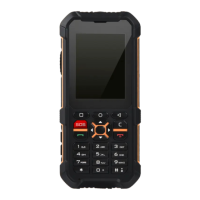
1. APPEARANCE DIAGRAM (IMG. 1)
1_SIM Card Tray: Insert a SIM Card and Micro SD Card.
2_Custom Button: Speci ed application / switch shortcut key,
whichneeds to be set via the system‘s „Custom Button“ before use.
3_Earphone Jack: Connect 3.5mm earphones
4_Receiver
5_Front Camera
6_Microphone
7_USB Port: Micro USB port for mobile phone charging and data
transmission.
8_Increase and decrease the volume: To adust the volume.
9_Power Button: Long press to turn the power on / off . Short press
toturn on / off standby mode.
10_Rear Camera
11_Flashlight
12_Speakers
13_Secondary Microphone
2. PREPARATION (IMG. 2)
Nano-SIM Card and Micro SD Card Installation
A) Open the SIM card tray rubber plug to insert the SIM card pin
inthecard hole of the mobile phone and push to eject the SIM
cardtray.
B) After the SIM card tray is removed as shown in the gure, theMicro
SD card / Nano SIM card is installed in the corresponding position of
the card tray.
C) Insert the SIM card tray into the phone‘s SIM card slot and fasten
the SIM card tray rubber plug.
Note:
After installation, please make sure that the SIM card tray and
therubber plug for the earphone port are intact and closed so as
to be waterproof and dustproof. In this regard, no further special
statement will be made in later chapters.
Tips for installing / removing a memory card:
To store additional multimedia data, a memory card must be
inserted. This device supports a Micro SD memory card up to 128GB
(microSDHC, FAT32 format).
3. CHARGING (IMG. 3)
Connect the charging cable to the mobile phone to start charging in
the direction as shown in the gure. Please do not continue charging
when the battery is full. Only use RugGear licensed chargers and
cables. Unlicensed chargers or cables can cause the batteries to
explode or damage your device. You can only charge the device at an
ambient temperature range of 0°C to 45°C. The normal operating
temperature of this mobile phone is -10°C to 55°C. In order to ensure
the normal phone functions, do not use this phone outside thetem-
perature range.
After installation, please make sure that the SIM card tray and
EN
5



 To Next Page