EasyManua.ls Logo

Rugged CCTV Ruff Ride - User Manual

Rugged CCTV Ruff Ride
40 pages
Print Icon
To Next Page IconTo Next Page
Loading...
USER MANUAL
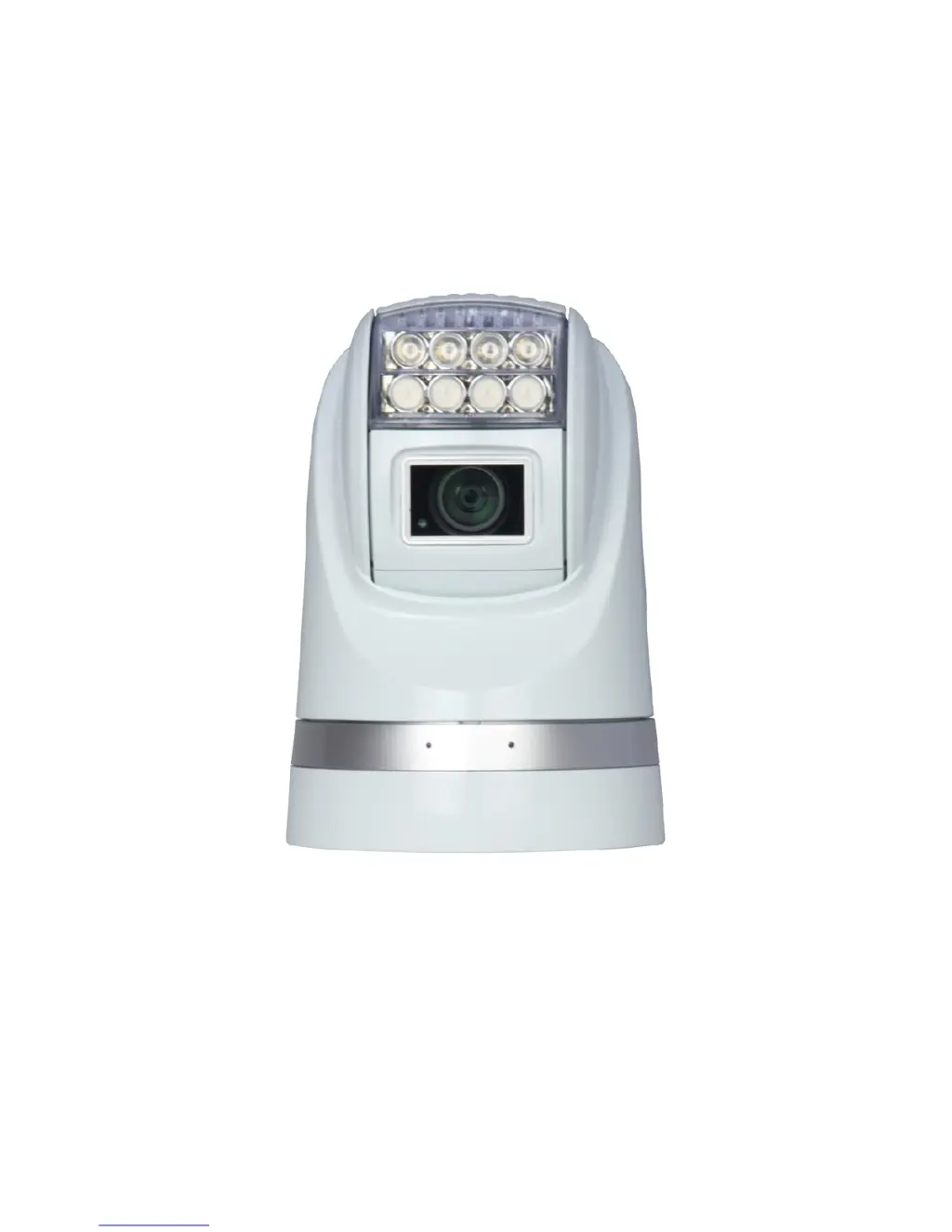
HD Portable All-Condition Rugged PTZ Camera
(IR and White Light Versions)

Questions and Answers

  • S
    Sandra GarciaJul 31, 2025
    What to do if Rugged CCTV Security Camera has no action when powered on?
    • M
      Martin MathisAug 1, 2025
      If your Rugged CCTV Security Camera shows no action when powered on, it might be due to a power supply failure. In this case, replace the power supply. Another possible cause is an incorrect power connection. To solve this, check and reconnect the cables.
  • A
    Amanda LongAug 5, 2025
    What to do if Rugged CCTV Ruff Ride has normal self-test but no images?
    • P
      Peter ClementsAug 5, 2025
      If your Rugged CCTV Security Camera completes the self-test but displays no images, the issue might stem from a video signal failure, so reinstall the camera. Another potential cause is an incorrect video connection. To resolve this, check and reconnect the cables. The camera might also be damaged, requiring a replacement.
  • N
    Nathaniel DavisAug 11, 2025
    Why Rugged CCTV Ruff Ride has vague image?
    • L
      Lindsey ToddAug 11, 2025
      If your Rugged CCTV Security Camera displays a vague image, the problem could be a bad video connection. Check and reconnect the cables to resolve this. Alternatively, an inadequate power supply might be the cause, in which case, replace the power supply.
  • K
    kelly65Aug 15, 2025
    How to fix Rugged CCTV Ruff Ride Security Camera PTZ out of control?
    • J
      Jesse MendozaAug 16, 2025
      If your Rugged CCTV Security Camera PTZ is out of control, first, the self-test error might be the issue, so restart the camera. Alternatively, a wrong connection of the RS485 cable could be the cause. To fix this, check and reconnect the cables.
  • S
    Samantha HullAug 20, 2025
    What to do if Rugged CCTV Ruff Ride has normal self-test but out of control?
    • W
      watsonjacquelineAug 20, 2025
      If your Rugged CCTV Security Camera completes the self-test but is out of control, it could be due to a wrong connection of the RS485 cable. Check and reconnect the cable to fix this. Another possible cause is a wrong camera address set. In this case, check and reset the switches.
  • N
    Noah GarciaAug 26, 2025
    Why Rugged CCTV Ruff Ride Security Camera has abnormal self-test with motor noise?
    • A
      awallAug 26, 2025
      If your Rugged CCTV Security Camera has an abnormal self-test with motor noise, it might be due to mechanical failure, requiring a repair. Another possibility is that the camera is inclined, so reinstall the camera. Finally, an inadequate power supply could be the cause, so replace the power supply.

Summary

Safety Notes

Preparation

Dip Switch and Address Setup

Explains factory default dip switch settings for camera address configuration.

Initial Power On and Test

Guides through the initial power-on procedure, LED indicators, and messages.

Troubleshooting Power-Up Issues

Details failure codes and specific notes for PT/T failures during initialization.

Installation

PTZ Bottom Plate Setup

Instructions for setting baud rate, protocol, address, and fixing the bottom plate.

Mounting Plate Attachment

Details on how to fix the mounting plate to the target location.

Menu Settings

Operation

Trouble Shooting

No Action or Motor Noise Issues

Lists causes and solutions for power-on issues and abnormal motor noise.

Image Display Problems

Addresses potential causes and solutions for missing or vague image output.

Control and Operation Failures

Provides troubleshooting steps for loss of control, incorrect address, and cable issues.

Rugged CCTV Ruff Ride Specifications

General IconGeneral
BrandRugged CCTV
ModelRuff Ride
CategorySecurity Camera
LanguageEnglish