2
Step #4 Push to talks
If you’re using headset direct cables the push to talk on the headset will be active for car to
car transmitting.
If you’re using the intercom cables with Nexus style blue jack, remote push to talks will need
to be installed.
Hole mount push to talk
Simply drill a ¾” hole and mount the push to talk. Connect the CS-PTT-ADPT adaptor cable
to the PTT and plug into the back of the intercom. Use shrink tube to seal connection of PTT
and adaptor cable. Be sure to plug in the driver PTT into the PTT jack just below the driver
headset jack.
Velcro mount push to talk
Velcro push to talks can be mounted on the steering wheel, grab bar, or shifter. If mounting
on the steering wheel, be sure to coil the cable around the steering wheel column. Turn
steering wheel lock to lock and make sure the cable does not bind. Note: Damage can occur if
the cable binds while turning. Connect the CS-PTT-ADPT adaptor cable to the PTT and plug
into the back of the intercom. Use shrink tube to seal connection of PTT and adaptor cable.
Be sure to plug in the driver PTT into the PTT jack just below the driver headset jack.
Note: Be sure to locate the push to talks and their cable away from pinching or binding areas.
Damage may occur because of improper location.
Step #5 Intercom to Radio cable
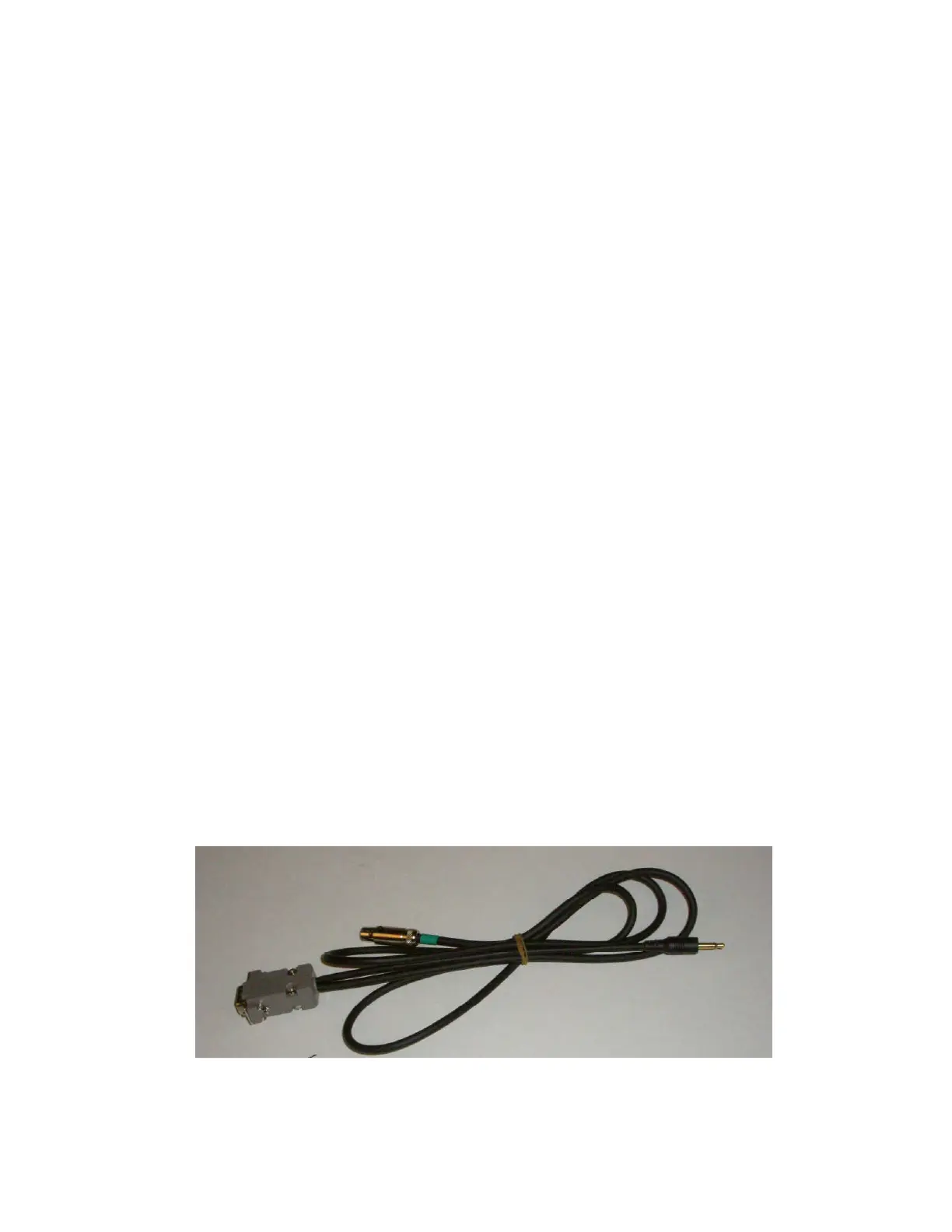
Plug in the 5 pin connector (Figure 1) into the pigtail cable coming out of the back of the
intercom. Plug the Serial style connector (Figure 2) into the back of the car to car radio. Plug
the 3.5mm gold plug (Figure 3) into the back of the radio into the external speaker port.
Note: Cable may be different per radio brand and model.
1
2
3


 To Next Page