
 Need help?
Do you have a question about the RUKO 1601AMP and is the answer not in the manual?
Explains symbols used in the manual for clarity and user understanding.
Guides users to review the manual and tutorial videos for familiarization before initial operation.
Covers critical safety, disclaimers, and user responsibilities for safe product use and injury prevention.
Details the functions of the transmitter's buttons and its 2.4 GHz frequency band operation.
Provides step-by-step instructions for correctly installing batteries into the transmitter.
Identifies and labels the key components of the RC amphibious car for user reference.
Guides users through the process of correctly installing the battery into the RC car body.
Explains how to charge the RC car battery, its capacity, voltage, and recommended maintenance practices.
Explains the automatic frequency pairing process between the RC car and the transmitter for connection.
Details how to operate the RC car in land mode, including forward, backward, and turning controls.
Describes operating the RC car in water, including performance changes and battery life considerations.
Provides troubleshooting guidance for common car, battery, charging, and operational problems.
Lists available accessories and where to purchase them, emphasizing the use of original parts.
The Ruko 1601AMP is an amphibious remote-controlled vehicle designed for users aged 8 and above. This user manual provides comprehensive guidance for its operation, maintenance, and safety. It is recommended to watch all tutorial videos and read the user manual thoroughly before initial use to familiarize yourself with the product's functions and safety guidelines. If any questions arise before or during operation, Ruko's after-sales support team is available for assistance.
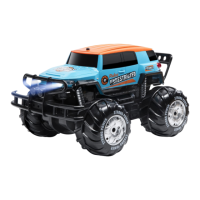
The Ruko 1601AMP is a versatile RC car capable of operating on both land and water surfaces. It features a 2.4 GHz frequency band transmitter, allowing multiple users to play simultaneously without significant interference. The vehicle is equipped with headlights and rear lights, which also serve as indicators for battery status. Its robust design allows for movement in various directions: forward, backward, turn left, turn right, and even rotational spins. The amphibious capability is a key feature, enabling transitions between land and water environments.
Before operating the 1601AMP, ensure all warnings are read and understood. Proper battery installation is crucial for safe operation. When installing or removing the battery cover, use appropriate tools carefully to avoid scratches. Always ensure the battery cover screws are properly tightened to prevent water ingress and battery dislodgement, especially when operating in water. Both the transmitter and the RC car should use fully charged batteries to prevent loss of control. For optimal battery life, charge the battery with a 5V=2A USB charger for sufficient time. Note that the RC car's battery is initially charged to about 60% and will achieve longer life after 2-3 charge-discharge cycles. When playing on water, children must be supervised by adults to prevent drowning.
The transmitter operates on a 2.4 GHz frequency. On land, the unobstructed transmission distance is up to 40 meters, while on water, it is about 20 meters.
The transmitter stick control method remains the same as in land mode. However, the vehicle's performance changes when on water. The amphibious vehicle will be slower (approximately 1.5 km/h compared to 10 km/h on land) and less sensitive to steering due to surface resistance. Consequently, battery life and transmitter distance will be shortened (approximately 22 minutes on water compared to 20 minutes on land).
Only use original accessories to avoid injury and loss. Non-original accessories may compromise the safe use and performance of the RC car. Do not disassemble factory-installed components, as this may affect performance and cause accidents. The use of non-original charging cables and batteries is prohibited.
The manual provides a troubleshooting guide for common issues such as the car not responding, battery compartment clips not fixing firmly, the car not moving after battery connection, short battery life, battery not charging, charging cable not working, prolonged charging time, and lost control during turns. Solutions range from checking battery power and connections to ensuring proper charging practices and adjusting steering control. For instance, if the car doesn't respond, the battery might be low. If the battery won't charge, the charging cable or battery might be damaged, or the wrong USB charging head is being used. If the transmitter is out of frequency or damaged, a new remote control may be needed. For water leakage into the battery compartment, ensure the cover tabs are locked.
 General
| Scale | 1:16 |
|---|---|
| Remote Control | Yes |
| Manufacturer | RUKO |
| Item model number | 1601AMP |
| Batteries Required | 6 x AA (Not included) |

 To Next Page