6 Bluetooth Guidelines
Copyright ©2022 Ruko All Rights Reserved.
7
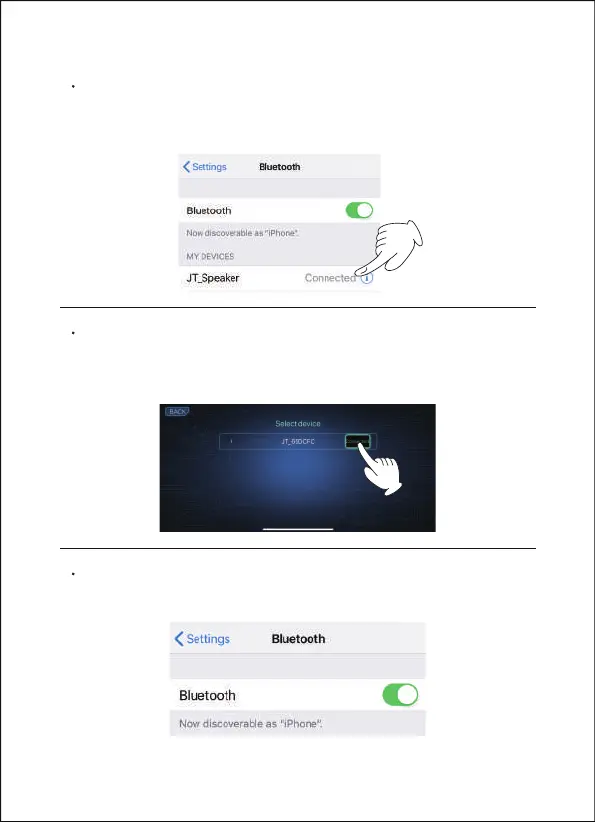
Open the Bluetooth settings and connect your phone to the
advice, "JT_Speaker". The robot will then act as a Bluetooth
speaker.
Open Carle App, connection with robot Bluetooth "JT_xxxx",
please wait for about 2-10 seconds, then can control the Carle
robot through Carle App.
If you're still not conected to Bluetooth, please check your
phone's Bluetooth.


 To Next Page