8 Play With Carle App
8.1 Download
8.2 Basic Icons
1088 User Manual
Copyright ©2022 Ruko All Rights Reserved.
23
Scan the applicable QR code for your operating the
system, download and install the application.
Carle App is compatible with Android 4.3 or IOS
8.0 and up.
SETTING
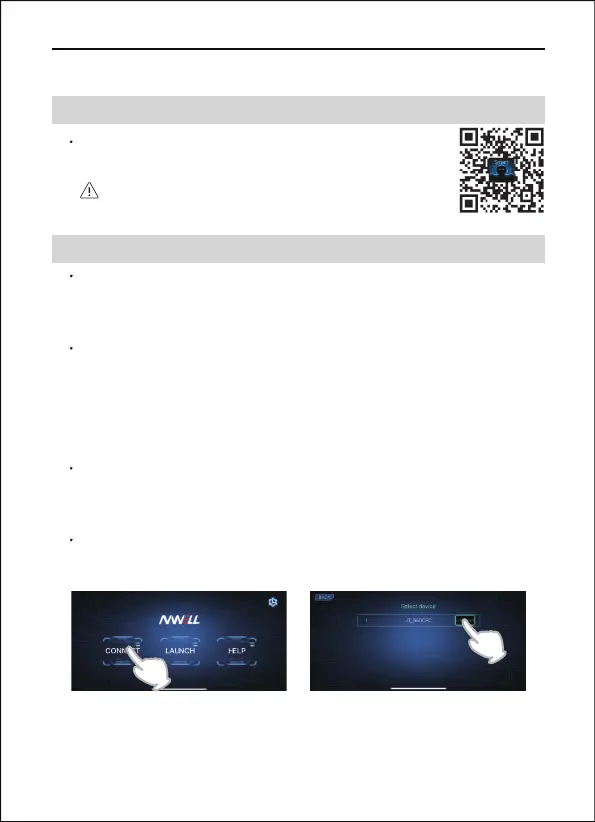
Open Carle App, click the Settings button at the top right of the
screen to select the languages.
CONNECT
Turn on Bluetooth on your mobile phone then switch on the robot.
Click CONNECT and connect a Bluetooth device named
"JT_XXXX". Bluetooth Playback cannot be used when this
Bluetooth is connected.
LAUNCH
Click LAUNCH, there has three modes: CONTROL, PROGRAM and
CONTENT, you can use your mobile phone as a controller.
HELP
Below you may find a quick guide for the main functions.


 To Next Page