1088 User Manual
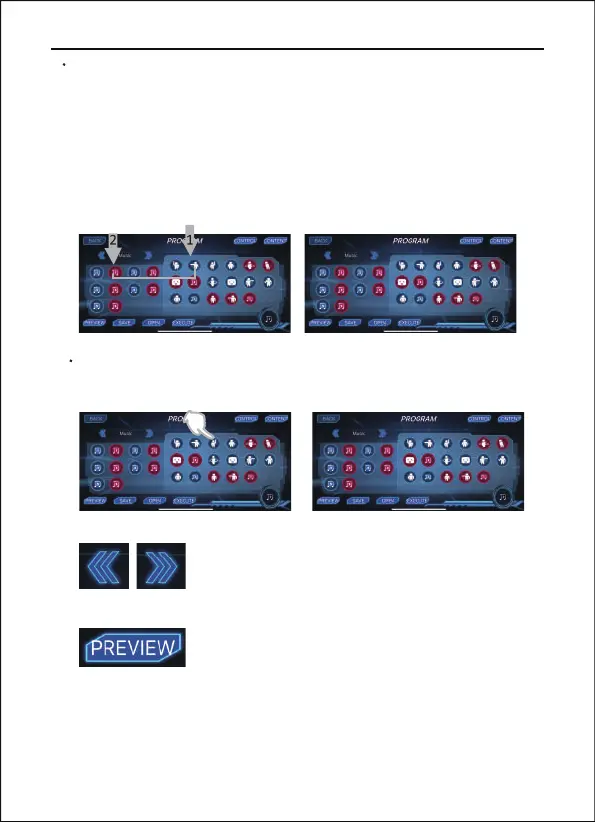
Click this option to preview the selected
actions in the lower right corner.
Copyright ©2022 Ruko All Rights Reserved. 25
PROGRAM
There are 58 actions to choose from. When you choose the
actions in the blue background, the robot will perform them one
by one; When you choose the actions in red background, the robot
will perform them at the same time. Click one of the selected
actions on the right, and then select the new actions to insert on
the left.
By pressing a selected action on the right for a few seconds, you
can delete the actions you don't need.
Left or right switch action programming: Left
hand, Right hand, Move, Expression, Music.


 To Next Page