19
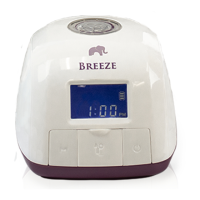
One of the great features of your Rumble Tu Breeze is the M Button (My
Favorite Pattern). You can easily set and recall your personal expression
pattern by pressing the M Button. It is extremely helpful if you usually
use Natural Expression setting to express your milk. If you only use Swift
Expression to express your milk, you do not need to use the M Button.
To set My Favorite Pattern:
1. After a few times of pumping, you will nd that your let down time is
about the same in every pumping session.
2. Start pumping as you normally do. Your pump starts at the Reex
Expression for 15 seconds, then automatically switches to the Swift
Expression and goes straight to the vacuum level that you last used.
3. Press the Expression Button when your milk starts to let down to
switch to the Natural Expression pattern.
Adjust the Vacuum Adjusting Knob to your desired suction level.
4. Press and hold the M Button for three seconds, until the M icon ashes
. That's it, your unique My Favorite Pattern is now set.
5. Continue to express your milk and nish your pumping session.
To recall the My Favorite Pattern:
1. Turn the Pump on.
2. Press the M Button (Do NOT hold more than 3 seconds).
3. Your pump automatically switches from Swift Expression to Natural
Expression at the recorded let down time.
M Button (My Favorite Pattern)
Note: You CANNOT adjust the suction level or switch between Swift Expression and Natural
Expression while in My Favorite Pattern. If you have to adjust the suction level, press
the M Button once to exit My Favorite Pattern rst.
About Your Rumble Tu Breeze
To set your preferred suction level:
1. In Reex / Swift Expression, adjust the suction level to the level you nd
most comfortable by rotating the Vacuum Adjusting Knob clockwise
(up/+) or counterclockwise (down/-)
2. In Natural Expression, adjust the suction level to the highest eective, yet
still comfortable level by rotating the Vacuum Adjusting Knob
clockwise (up/+) or counterclockwise (down/-)


 To Next Page