4. Initial Setup
4.1 Remove the AutoSelaer from it's packaging.
• If ordered, a Sealing Paddle will be (packaged) on top.
• For future shipping purposes, save all of the packaging
materials.
• This approved packaging is required for shipping.
• Remove the Cardboard Insert from inside the mouth of the
AutoSealer before operating machine.
4.2 Place AutoSealer in it's new home.
• Leave a sucient amount of space around the
AutoSealer area.
• Do not impede or block the Cooling Fan or Air Intake
Vents.
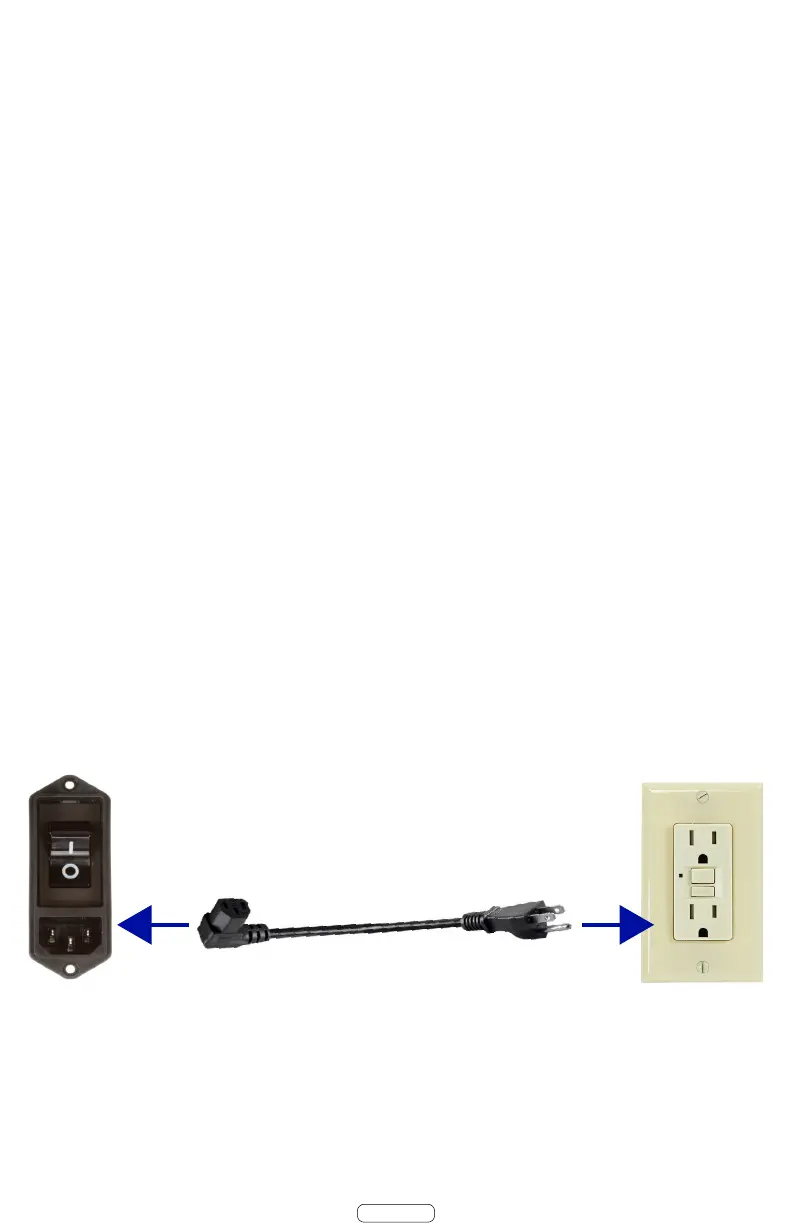
4.2 Plug the AutoSealer into a standard grounded outlet.
• Use Approved Power Cord Only (provided).
-It is recommended to use a dedicated 15 amp outlet.
Page 5


 To Next Page