Need help?
Do you have a question about the Ryobi R18ID2 and is the answer not in the manual?
Ensures safe operation by maintaining a clean, well-lit area and avoiding explosive atmospheres.
Details precautions for using power tools with electrical outlets and cords to prevent shock.
Covers staying alert, using PPE, preventing accidental starts, and proper attire for safe operation.
Guidelines for proper tool usage, maintenance, and avoiding misuse to ensure safety and performance.
Instructions for qualified repair and maintenance, emphasizing the use of original manufacturer parts.
Specific safety advice for impact drivers, including handling, wiring contact, and temperature limits.
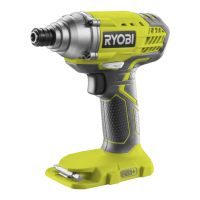
This document provides original instructions for the RYOBI 18V Impact Driver, model R18ID2. It is essential to read and understand these instructions before assembling, operating, and maintaining the product. The manual is subject to technical modification.
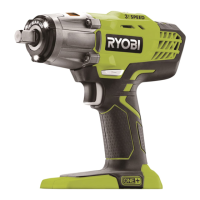
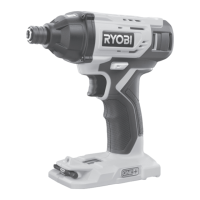
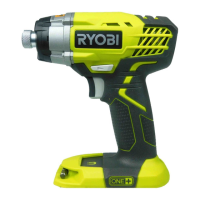
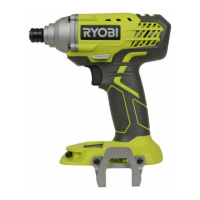
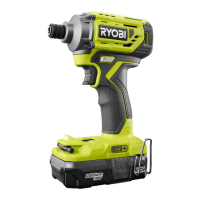
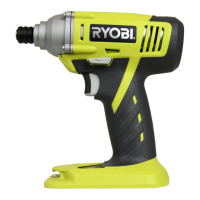
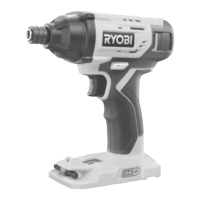
The RYOBI 18V Impact Driver is designed for fastening and removing screws and bolts. It is intended for consumer use only by adults who have read and understood the instructions and warnings in this manual. The product operates on an 18V battery system, providing cordless convenience. Key features include a chuck for holding bits, a variable speed switch trigger for controlled operation, and a direction of rotation selector for forward and reverse driving. An integrated LED light illuminates the work area, and a MAG TRAY™ screw holder provides convenient storage for fasteners. The tool also includes bit storage for easy access to commonly used bits.
To ensure safe and effective operation, several safety warnings and instructions must be followed. Always keep the work area clean and well lit to prevent accidents. Avoid operating the power tool in explosive atmospheres or in the presence of flammable liquids, gases, or dust, as sparks generated by the tool can ignite these substances. Children and bystanders should be kept away from the work area to prevent distractions and loss of control.
For personal safety, stay alert, watch what you are doing, and use common sense. Do not operate the tool when tired or under the influence of drugs, alcohol, or medication. Always wear eye protection and other appropriate personal protective equipment, such as a dust mask, non-skid safety shoes, hard hat, or hearing protection, to reduce the risk of injury. Prevent unintentional starting by ensuring the switch is in the off-position before connecting to the battery pack, picking up, or carrying the tool. Remove any adjusting keys or wrenches before turning the power tool on to avoid personal injury. Maintain proper footing and balance at all times to ensure better control of the tool.
Dress properly by avoiding loose clothing or jewelry, and keep hair and clothing away from moving parts. If the tool is equipped with dust extraction and collection facilities, ensure they are connected and properly used to reduce dust-related hazards. Do not become complacent due to familiarity with the tool; always adhere to safety principles.
When using the impact driver, do not force the tool; use the correct power tool for your application. The tool is designed to perform better and safer at its intended rate. Do not use the power tool if the switch does not turn it on and off, as this indicates a dangerous condition that requires repair. Disconnect the battery pack before making any adjustments, changing accessories, or storing the tool to prevent accidental starting. Store idle power tools out of the reach of children and untrained users.
The impact driver should be held by its insulated gripping surfaces when performing operations where the fastener may contact hidden wiring. This prevents electric shock if the fastener contacts a "live" wire. The ambient temperature range for tool operation and storage is between 0°C and 40°C. For charging, the recommended ambient temperature range is between 10°C and 38°C.
Only recharge the battery with the charger specified by the manufacturer. Using an unsuitable charger can create a risk of fire. Use only specifically designated battery packs with the power tool to avoid injury and fire risks. When the battery pack is not in use, keep it away from other metal objects that could short the terminals and cause burns or fire.
Under abusive conditions, liquid may be ejected from the battery. Avoid contact with this liquid. If contact occurs, flush with water. If liquid contacts eyes, seek medical help immediately, as it can cause irritation or burns. Do not use a damaged or modified battery pack or tool, as this may lead to unpredictable behavior, fire, explosion, or injury. Avoid exposing the battery pack or tool to fire or excessive temperatures above 130°C, which can cause an explosion. Follow all charging instructions and ensure charging occurs within the specified temperature range to prevent damage to the battery and reduce the risk of fire.
To reduce the risk of fire, personal injury, and product damage from a short circuit, never immerse the tool, battery pack, or charger in fluid, and prevent fluid from flowing inside them. Corrosive or conductive fluids, such as seawater, industrial chemicals, bleach, or bleach-containing products, can cause a short circuit. The ambient temperature range for battery use is between 0°C and 40°C, and for battery storage, it is between 0°C and 20°C.
Transport batteries in accordance with local and national provisions and regulations. When transporting batteries by a third party, follow all special requirements for packaging and labeling. Ensure that batteries do not come into contact with other batteries or conductive materials by protecting exposed connectors with insulating, non-conductive caps or tape. Do not transport cracked or leaking batteries. Consult the forwarding company for further advice.
Maintain power tools and accessories regularly. Check for misalignment or binding of moving parts, breakage of parts, and any other condition that may affect the tool's operation. If damaged, have the power tool repaired by a qualified person before use. Properly maintained cutting tools with sharp cutting edges are less likely to bind and are easier to control.
The product should never be connected to a power supply when assembling parts, making adjustments, cleaning, performing maintenance, or when the product is not in use. Disconnecting the product from the power supply prevents accidental starting. When servicing, use only original manufacturer's replacement parts, accessories, and attachments to ensure the safety of the power tool and prevent product damage.
Avoid using solvents when cleaning plastic parts, as most plastics are susceptible to damage from various commercial solvents. Instead, use clean cloths to remove dirt, carbon dust, and other debris. Never service damaged battery packs; service should only be performed by the manufacturer or authorized service providers.
 General
| Voltage | 18V |
|---|---|
| Chuck Size | 1/4 inch |
| LED Light | Yes |
| Battery Type | Lithium-ion |
| Chuck Type | Quick Release |

 To Next Page