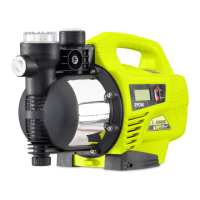
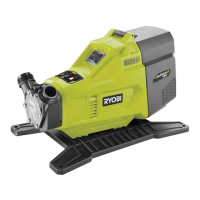
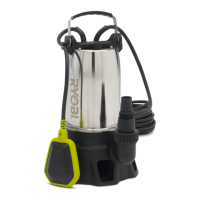
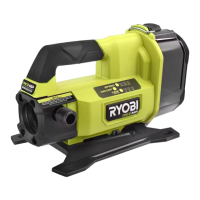
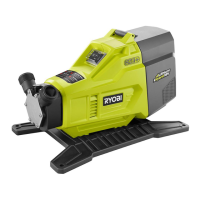
The RYOBI RCPP900 is a constant pressure pump designed for various domestic water pumping applications. This owner's operating manual provides essential information for assembling, operating, and maintaining the product, emphasizing safety and proper usage.
Function Description:
The RCPP900 is intended for pumping water in a home domestic application. Its primary functions include drawing water from wells, increasing pressure for pipelines, and draining/removing water from flooded areas, clogged sinks, and water basins. The pump is designed to maintain a constant pressure, ensuring a steady water supply. It features a 900W induction motor with thermal overload protection, which automatically stops the pump if an overload occurs and restarts it once it has cooled down. The pump incorporates a pre-filter to prevent debris from entering the system, and an LCD display screen provides operational feedback such as water flow rate, pump head, and error messages. The pump also includes a soft start function, dry running protection, an automatic shut-off when the outlet valve is closed, and leakage protection. A timer function allows users to set specific ON and OFF times for operation.
Important Technical Specifications:
- Rated Power: 900W
- Max Head: 43m
- Max. Suction Lift: 8m
- Max. Water Flow: 3,600L/hr
- Max. Working Temp: 35°C
- Max. Particle Size: 0.5mm
- Cable Length: 1.5m
Usage Features:
The RCPP900 offers several user-friendly features and operational modes:
- LCD Display: When powered on, the LCD displays "OFF" (Fig. 1) and then transitions to show "water flow rate" and a "water tap" symbol (Fig. 2) after a 2-second soft start.
- Pump Control: The "SET" button is used to switch the pump ON and OFF.
- Monitoring: While running, pressing "CHECK" for a short period allows users to switch between viewing the "pump head" in meters (Fig. 3) and the "water flow" in m³/hr (Fig. 2).
- Pressure Setting: A long press of the "CHECK" button while the pump is running allows setting the water pressure.
- Dry Running Protection: If there is no water flow for 20 seconds after startup, the pump will undergo three dry running cycles (100s ON, 5s OFF). If no flow is detected after these cycles, the pump stops, and the LCD flashes "Err" with a "water tap" symbol (Fig. 5). The pump can only be restarted by unplugging and re-plugging it.
- Automatic Function: The pump automatically stops 10 seconds after the outlet valve is closed and starts again when the outlet valve opens.
- Leakage Protection: If water pressure cannot reach the normal level for an extended period, the pump enters a frequency checking mode, starting and stopping 6 times within 2 minutes. If this condition persists for one hour, the pump stops, and the LCD displays "ERR" (Fig. 4) and flashes.
- Timer Function:
- Set NOW time: Long press "SET" to set the current hour, and short press "SET" to set the current minute. Use "CHECK" to increment the hour or minute (Fig. 7).
- Set ON time: After setting the current time, short press "SET" to set the starting hour, then short press "SET" to set the starting minute. Use "CHECK" to increment the starting hour or minute (Fig. 8).
- Set OFF time: Continue from the previous step, press "SET" to set the stopping hour, then press "SET" to set the stopping minute. Use "CHECK" to increment the stopping hour or minute (Fig. 9).
- Installation Guidelines:
- Inlet water pipes should be as short as possible with minimal elbows.
- The bottom valve should be installed vertically, 30cm above the water bottom to avoid sucking silt (Fig. 10).
- Joints of inlet water pipes must be sealed, and the diameter should be at least the same as the water inlet to prevent significant water loss.
- For inlet pipes longer than 10m or lifted more than 4m, the diameter must be greater than the pump's water inlet diameter.
- Outlet water pipes should have a diameter at least equal to the pump's water outlet to minimize pressure loss, maintain high flow rate, and reduce noise (Fig. 12).
- The pump should be placed in a well-ventilated environment and covered if installed outdoors to prevent rain and frost damage (Fig. 13).
- Before first use, ensure the screw plug for water drainage is properly installed (Fig. 14).
- Prime the pump chamber with water before starting (Fig. 17).
Maintenance Features:
Regular maintenance is crucial for the longevity and optimal performance of the RCPP900:
- General Cleaning: Use a moist cloth to wipe down the pump housing. Ensure it is thoroughly dry before storing in a dry, protected location.
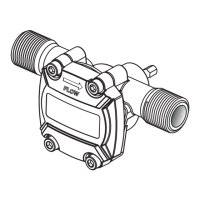
- Pre-filter Cleaning: The pump's pre-filter needs regular cleaning or replacement. It is recommended to clean the non-return valve simultaneously.
- Remove the pre-filter by loosening the screw with the supplied filter wrench (anti-clockwise).
- Unscrew the non-return valve from the bottom of the pre-filter.
- Gently tap the filter and non-return valve on a flat surface. For stubborn dirt, rinse with water. Avoid abrasive cleaning agents.
- Reassemble the pre-filter and non-return valve, then screw the pre-filter onto the pump and tighten with the filter wrench.
- Strainer Mesh Cleaning: To maintain optimum water flow, clean the strainer mesh components regularly.
- Rotate the strainer mesh as indicated in Fig. 19 to separate the one-way valve and strainer mesh.
- Clean both components with clean water.
- Reassemble and install them properly.
- Frost Protection: If there is a risk of frost or freezing, or if the pump will not be used for a long time, open the screw plug for water drainage to discharge all water from the pump and pipelines. Before restarting, open the pump cover, fill with water, and tighten the cover.
- Overheat/Abnormal Operation: If the pump overheats or operates abnormally, promptly cut off power and examine it according to the troubleshooting guide.
Safety Warnings:
The manual emphasizes several safety warnings, including:
- Always read and understand the manual before use.
- Do not let the pump run dry.
- Do not remove hoses while the pump is operating.
- Do not allow the product to run unattended.
- Do not lift the pump by the hoses.
- Periodically inspect the pump, hoses, and intake filter for debris.
- Ensure the pump is disconnected from the mains before any maintenance.
- The pump is not suitable for use with drinking (potable) water.
- The pump should not be used by children or individuals with reduced physical, sensory, or mental capabilities without supervision.
- The pump must be supplied through a residual current device (RCD) with a rated residual operating current not exceeding 30mA.
- Avoid inserting hands into the inlets/outlets while connected to power.
- Do not operate the pump in an explosive environment or near flammable materials.
- Do not operate the pump without liquid.
- Do not run the pump dry.
- Do not disconnect pipework until internal pressure has been released.

 Need help?
 General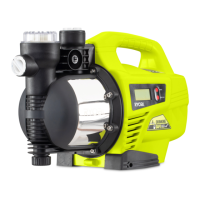

 To Next Page