Safety
4
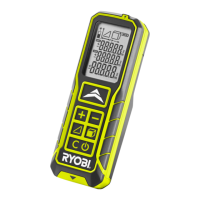
Minimum display
Add
Subtract
Unit (meter)
GETTING STARTED
INSTALLING BATTERIES
See page 6.
1. Push and slide to open the battery
cover.
2. Insert the batteries into the battery
compartment. Ensure the polarity is
correct.
3. Replace the battery cover.
OPERATION
SWITCHING ON
See page 6.
1. Press and hold until the standby
screen is displayed.
The tool switches off after 180 seconds
of inactivity.
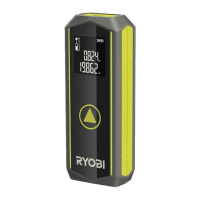
TAKING A MEASUREMENT
See page 6.
1. Press . A flashing is displayed.
2. Point the laser beam to the target
surface. Keep the dot on the target
point.
3. Press again to take the
measurement. The measurement will
be finished when a beep is heard and
the measuring result is displayed on
the screen.
NOTE: The laser beam will be turned off
after the measurement is complete.
ADDING MEASUREMENTS
See page 7.
1. Take a measurement.
2. Press .
3. Press to take the next measurement.
The sum of the measurements is
displayed.
Repeat steps 2-3 to add another
measurement.
NOTE: Press to clear the
measurement taken.
SUBTRACTING MEASUREMENTS
See page 8.
1. Take a measurement.
2. Press .
3. Press to take the next measurement.
The difference of the measurements is
displayed.
Repeat steps 2-3 to subtract another
measurement.
NOTE: Press to clear the
measurement taken.
CONTINUOUS MEASUREMENT
See page 9.
1. Press and hold to activate
continuous measurement.
2. Point the laser beam to the target
surface. The corresponding maximum
and minimum values are displayed.
3. Press to pause/resume continuous
measurement.
To exit continuous measurement and
return to single measurement mode,
press .
MEASURING FUNCTIONS
Indirect measurement
See page 10.
The laser distance measurer uses


 To Next Page