CAUTION: Always wear eye protection.
ON / OFF SWITCH
(Fig.6)
To switch on the trimmer, press the safety button (3)
and pull the trigger switch (4). Release the switch
to stop.
8
OPERATION
ASSEMBLY
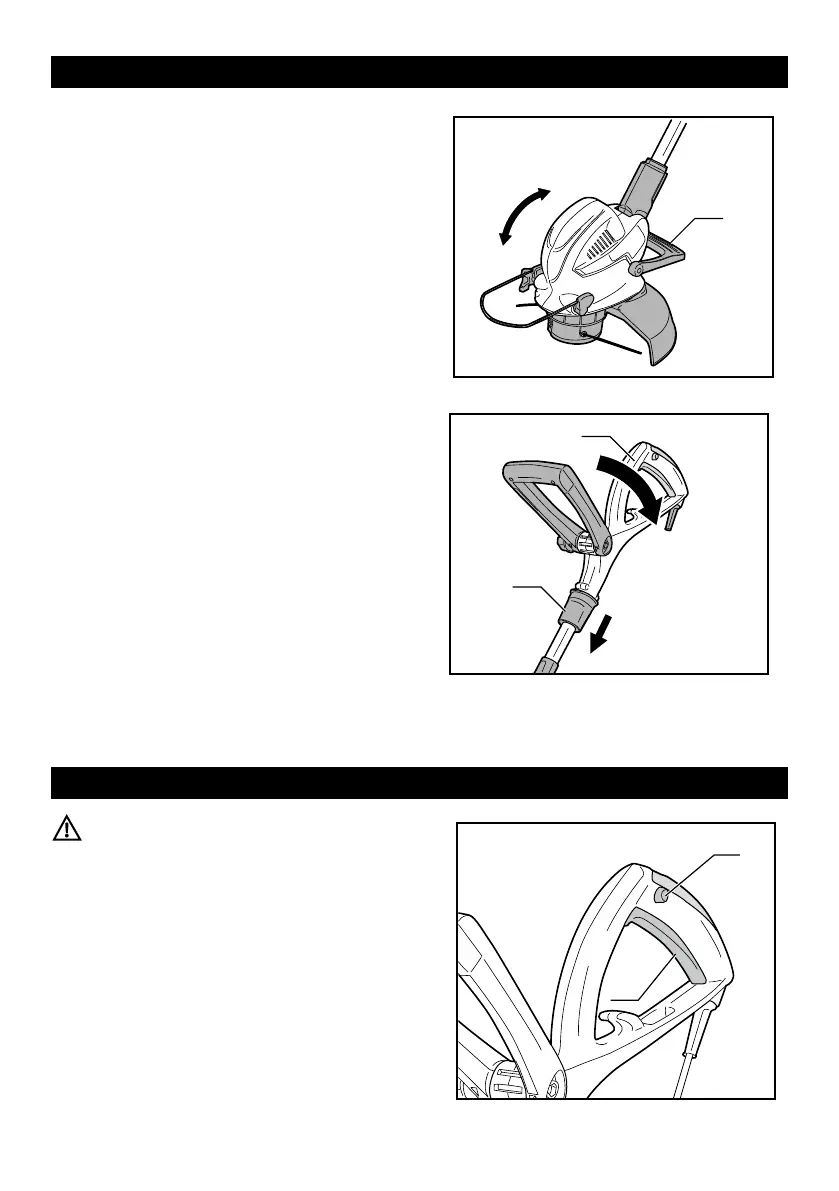
ADJUSTING PIVOT HEAD (Fig. 4)
1. D ep r es s t he f o ot p e da l f or h e ad a n gl e
adjustment (12), and move the trimmer head up
or down to desired position and release the foot
pedal.
2. Make sure the head is securely locked into place
with click.
ROTATING REAR HANDLE TO EDGING
POSITION (Fig. 5)
1. Push down edging coupler (7) and turn rear
handle (1) end counter-clockwise.
2. Release edging boom coupler when handle has
been rotated 180°and locked into place.



 To Next Page