A20d
Setting Introduction
USB CoaxialOpticalBlueto o th
I S
2
1. Power / input Key
2. INPUT SELECTION
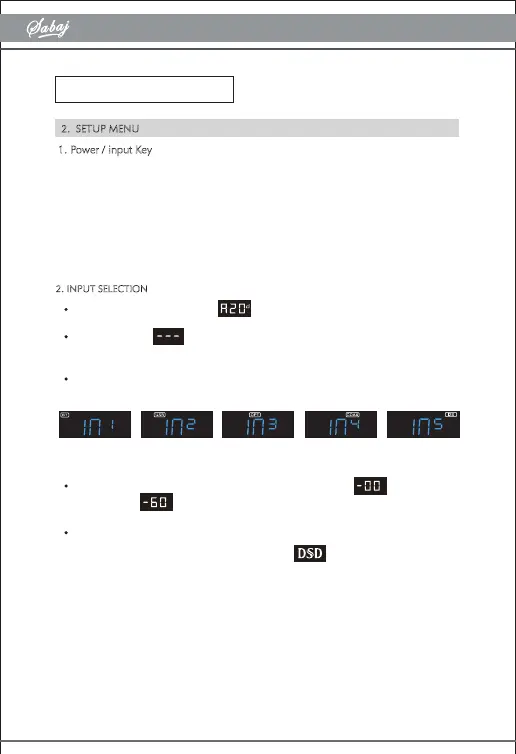
When it is turned on, it will show
The display sho
ws w
hen there is no input signal or the sampling rate
exceed the range of the unit.
When switching input will be displayed (Press the "Input Select" key on the
remote control or press the "Power Function" key for input selection)
When adjusting the volume, the volume is displayed. The range is
maximum and minimum.
When muted, the current volume flashes.
Note: when playing music is DSD format, it will display .
1)Long press the knob: power OFF/ON
2)Short press the knob: enter the menu,Long press to return to the main page
3)Turn the knob clockwise or counter clock wise to adjust the volume.
2. SETUP MENU


 To Next Page