
 Need help?
Do you have a question about the Sabaj A20d and is the answer not in the manual?
Install in a well-ventilated, cool, dry place away from direct sunlight and heat.
Do not modify or fix the unit; contact qualified personnel for service.
Disconnect power cable when not using for extended periods.
Product quality promise; 7-day return/repair, 1-year free warranty.
Purchase date based on invoice, receipt, or online order details.
Conditions not covered by warranty (human factors, disassembly, etc.).
Warranty terms are for mainland China; refer to local agents for others.
Features MQA decoding, DSD streaming, and low clock jitter.
Highlights ESS DAC/power chips, XMOS USB, and high-end op-amps.
Includes Qualcomm Bluetooth 5.0, tempered glass, and gold-plated jacks.
Covers inputs, outputs, THD+N, dynamic range, SNR, and impedance.
Details Bluetooth, USB transmission, and OS compatibility.
Lists bit depth, sampling rates, power consumption, and dimensions.
Instructions for installing batteries in the remote control.
Recommended distance for remote control signal effectiveness.
Notes on potential interference from sunlight or bright light.
Identifies each button and its corresponding function.
Reminders about battery type and initial operation.
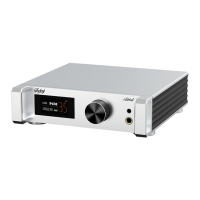
Identifies the knob and display screen.
Labels all input/output ports and power connector.
Lists and describes each input port (Coaxial, I2S, Optical, USB).
Identifies RCA and Line outputs.
Specifies the power supply input.
Instructions on using the knob for power and menu operations.
How to select audio input sources via display.
Explains screen displays for no signal, volume, and DSD format.
Explains MQA as an award-winning British audio technology.
How to play MQA files using compatible software and settings.
Meaning of "MQA" or "MQA." indicators for audio quality.
Options for input selection and PCM filter types.
Settings for I2S modes, DSD channels, flags, and DPLL.
Adjusts the display brightness level.
Explains the NORMAL and INVERTED settings for I2S phase.
Details DSD channel mapping using PCM DATA or LRCK pins.
Guidance on correcting DSD channel order for I2S input.
Configures the DSD flag using pin 15.
Configures the DSD flag using pin 14.
Explains short press for switching/reconnecting, long press for clearing.
Guide to connecting the device via Bluetooth.
How to re-connect lost connections and clear pairings.
Instructions to reset the device to factory default settings.
 General
| Brand | Sabaj |
|---|---|
| Model | A20d |
| Category | Remote Control |
| Language | English |

 To Next Page