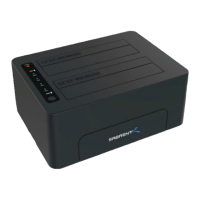
Need help?
Do you have a question about the Sabrent DS-4RSS and is the answer not in the manual?
Steps to configure RAID modes using dip switches and the SET switch for RAID function.
Troubleshooting steps for when the computer does not detect the docking station.
Ensuring connection to a USB 3.0 port for optimal transfer speeds.
Guidance on checking power adapter connectivity and trying alternative power outlets.
Verifying USB cable, power connections, and computer sleep settings for stable operation.
 General
| Type | Docking Station |
|---|---|
| Model | DS-4RSS |
| Number of Drives | 4 |
| Supported Drives | SATA HDD/SSD |
| Material | Aluminum |
| Operating System Compatibility | Windows, macOS, Linux |
| Hot Swappable | Yes |
| Drive Size | 3.5-inch, 2.5-inch |
| Maximum Capacity | Up to 72TB (18TB x 4) |
| RAID Levels Supported | RAID 0, RAID 1, RAID 5, RAID 10, JBOD |
| Data Transfer Rate | 5 Gbps |
| Power Supply | External power adapter |

 To Next Page