12
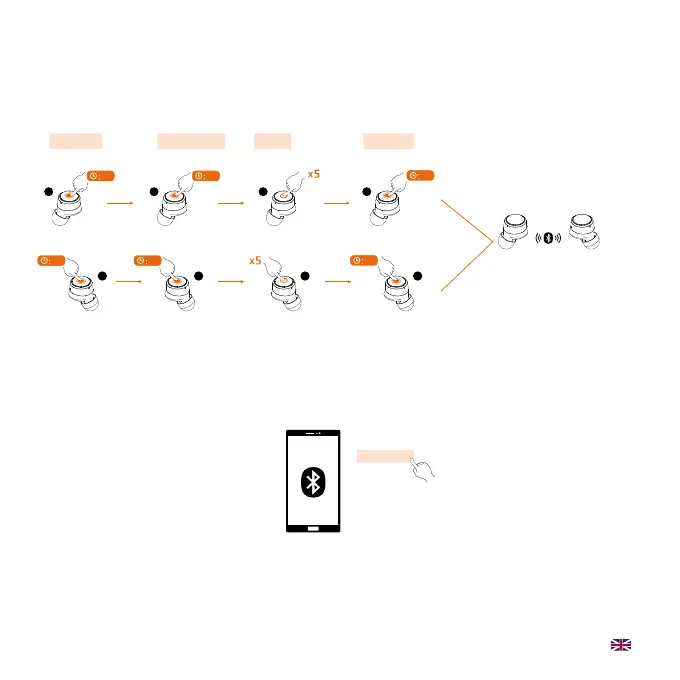
Reset ROCKit
Pairing mode Reset
Connects automatically
Click and hold
Power off
Click and hold
Power on
Click and hold
R
Click five times
TIPS: red and white LED
quickly flash alternately
TIPS: red and white LED slowly flash alternately
L
05
05
R
05
RR
L
05
L L
03
03
After reset, L earbud will automatically
enter the pairing mode with red and white
LED, then the phone can search for earbuds.
ROCKit L
Select on phone
Reset ROCKit
Pairing mode Reset
Connects automatically
Click and hold
Power off
Click and hold
Power on
Click and hold
R
Click five times
TIPS: red and white LED
quickly flash alternately
TIPS: red and white LED slowly flash alternately
L
05
05
R
05
RR
L
05
L L
03
03
After reset, L earbud will automatically
enter the pairing mode with red and white
LED, then the phone can search for earbuds.
ROCKit L
Select on phone


 To Next Page